Audio Tag Editor
 BPM Finder
 Live BPM Finder
 Key Finder
 Mix Maker
 Track Analyzer
 Transition Finder
 VST Manager
Mix Maker and DJ.Studio both help you plan sets. They both import Rekordbox libraries, both match tracks by BPM and key, both let you order a playlist before a performance, and both can export a mix as an audio file. That is where the overlap ends. Everything else about these two tools points at a different kind of DJ with a different output in mind.
This comparison is for DJs who want to know which tool fits their actual workflow. If you perform live and prep your crate in advance, or if you produce mix recordings for upload, the answer is different, and the price difference reflects it.
At a glance
The apps
Mix Maker
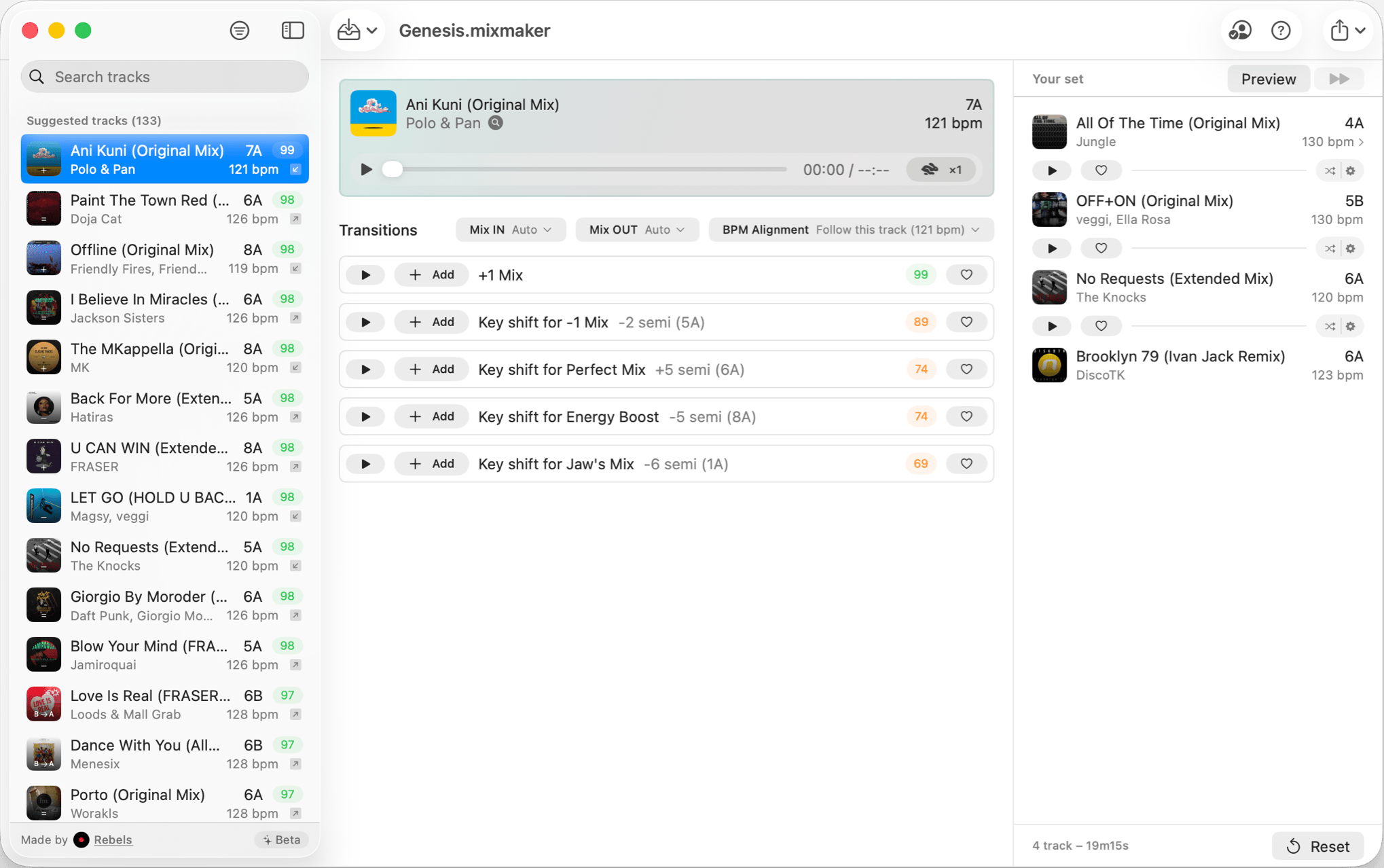
Mix Maker is primarily a set planning tool. The workflow it supports is: bring in your Rekordbox library, get smart track suggestions matched by BPM and key, preview transitions in one second, and build an ordered set. That set then goes back into your DJ software where you perform from it. The app also lets you produce a mix, but with limited editing features.
The transition preview speed is the feature that defines the experience. Auditioning a transition in one second versus waiting for a full playthrough means you can move through dozens of candidate pairs in the time it usually takes to listen to one. For crate-digging prep sessions where you are building a set from a large library, that speed compounds quickly. The semitone shift exploration for harmonic compatibility surfaces combinations you might not have considered by scrolling through a playlist manually.
Everything runs fully offline. No cloud processing, no account required. The export options cover the main DJ software formats (eg. Rekordbox, Traktor) plus MP3, WAV, AIFF, and M4A.
Performing DJs who prep sets in advance and want fast, BPM and key matched track ordering with transition previews before loading into their DJ software.
DJ.Studio
Pros
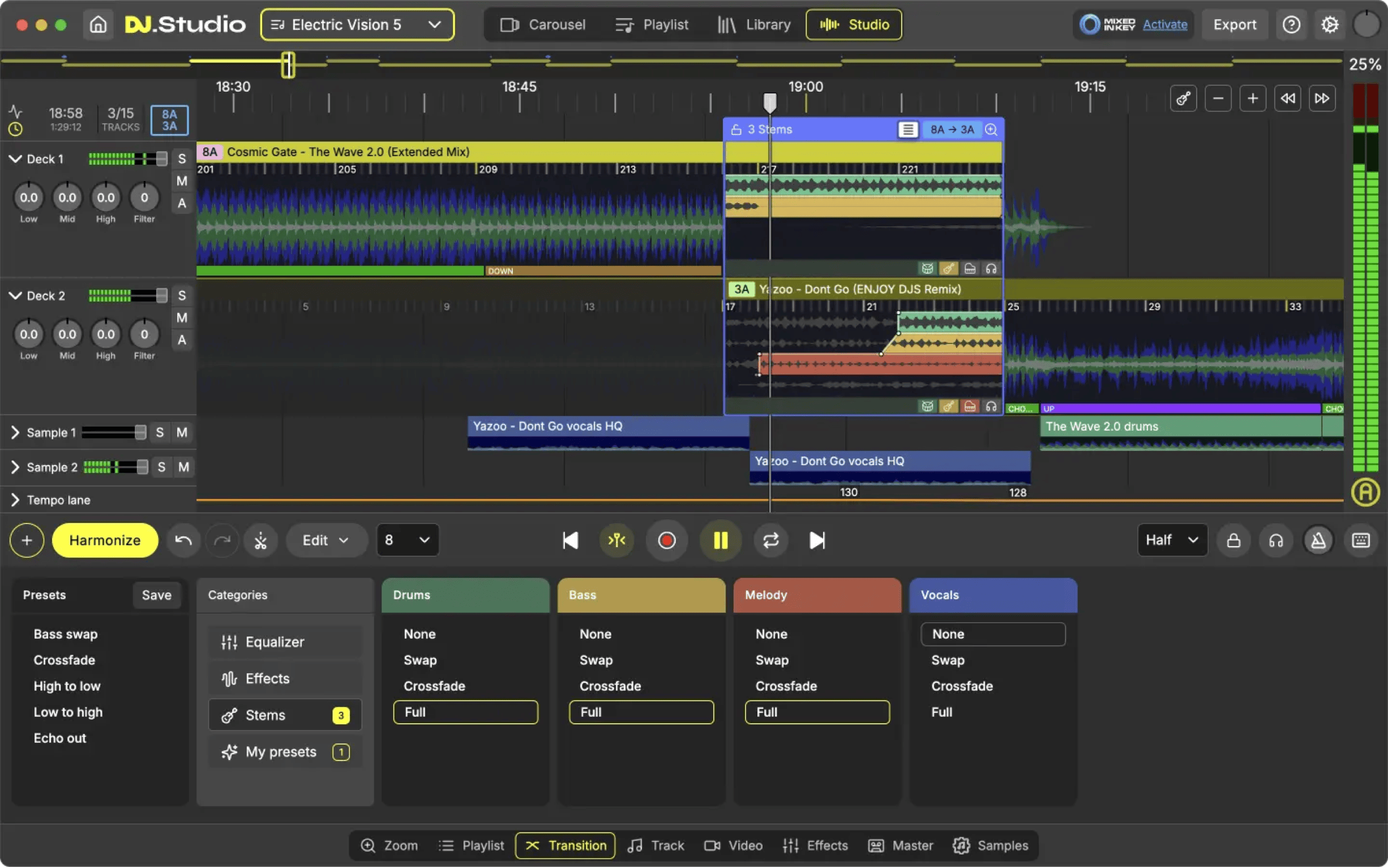
- Full transition editor with EQ, effects, and volume control
- Stem separation for mashups and custom blends
- Video export and direct upload to Mixcloud, SoundCloud, YouTube
Cons
- 10 to 25 times the price of Mix Maker
- Steeper learning curve than a focused set planning tool
DJ.Studio is a full mixing and production environment. You bring in tracks, build a timeline, edit transitions with EQ and effects, and export a finished mix recording as audio or video. Direct upload to Mixcloud, SoundCloud, and YouTube is built in. Stem separation on the Pro+ tiers lets you isolate individual track elements for mashups and creative transitions.
The scope is legitimately impressive. DJ.Studio won the NAMM TEC Award 2025 for Best DJ Tool, which reflects genuine recognition from the professional community. The list of supported platforms is broad: Rekordbox, Serato, Traktor, Engine DJ, VirtualDJ, Ableton Live, and iTunes are all supported for library import. For producers who work across multiple ecosystems, that integration depth matters.
The pricing requires careful reading before committing. The base Studio tier at $99 covers the core features. Stem separation requires the Pro+Stems tier at $169 or the Ultimate at $249. The subscription is $29 per month, which exceeds the base perpetual price within four months. For software of this scope, the investment is defensible if you are producing mix recordings regularly. If you are not, it is a significant ongoing cost for a workflow you may use occasionally.
DJs who produce polished mix recordings for Mixcloud, SoundCloud, or YouTube and need a full editing environment with publishing tools built in.
Which one should you get?
The frame that makes this clearest: Mix Maker is for the prep phase; DJ.Studio is for the production phase.
If you perform live and your process is selecting the right tracks in the right order before a set, Mix Maker handles that at $9.99 with zero friction. The transition preview is fast enough to actually change how you prep, and the BPM and key matching suggestions surface combinations you would not find manually.
If you produce mix recordings that you publish, whether for a Mixcloud show, a YouTube series, or a SoundCloud page, DJ.Studio is the right tool for that. The editing environment, stem separation, video export, and direct upload flow are all things Mix Maker is not trying to do. These are genuinely different jobs.
What I actually use
Mix Maker for prep, because I perform live and the workflow it supports is exactly what I need. I bring in my Rekordbox library, build a set with transition previews, and load it into my controller. The $9.99 is a non-decision at that point.
If I were producing a regular podcast-style mix series for Mixcloud or YouTube, I would be using DJ.Studio. The editing tools and the direct publishing flow are the right workflow for that output. But those are different goals, and the right tool depends entirely on what you are trying to produce.