 Audio Tag Editor
 BPM Finder
 Live BPM Finder
 Key Finder
 Mix Maker
 Track Analyzer
 Transition Finder
 VST Manager
If you already have a BPM finder and you're looking to add key detection to your prep workflow, Mixed In Key is going to come up in every search. It has been the industry reference for harmonic analysis since 2006, and the endorsements from headlining DJs are real. But at $58, it costs over eight times what a dedicated key finder costs, and that gap deserves honest scrutiny.
This comparison is for DJs and producers who want musical key detection and need to decide whether the premium is justified. If you're deep in the Apple ecosystem, there's now a focused alternative worth knowing about. Here's how they actually compare.
At a glance
The apps
Key Finder
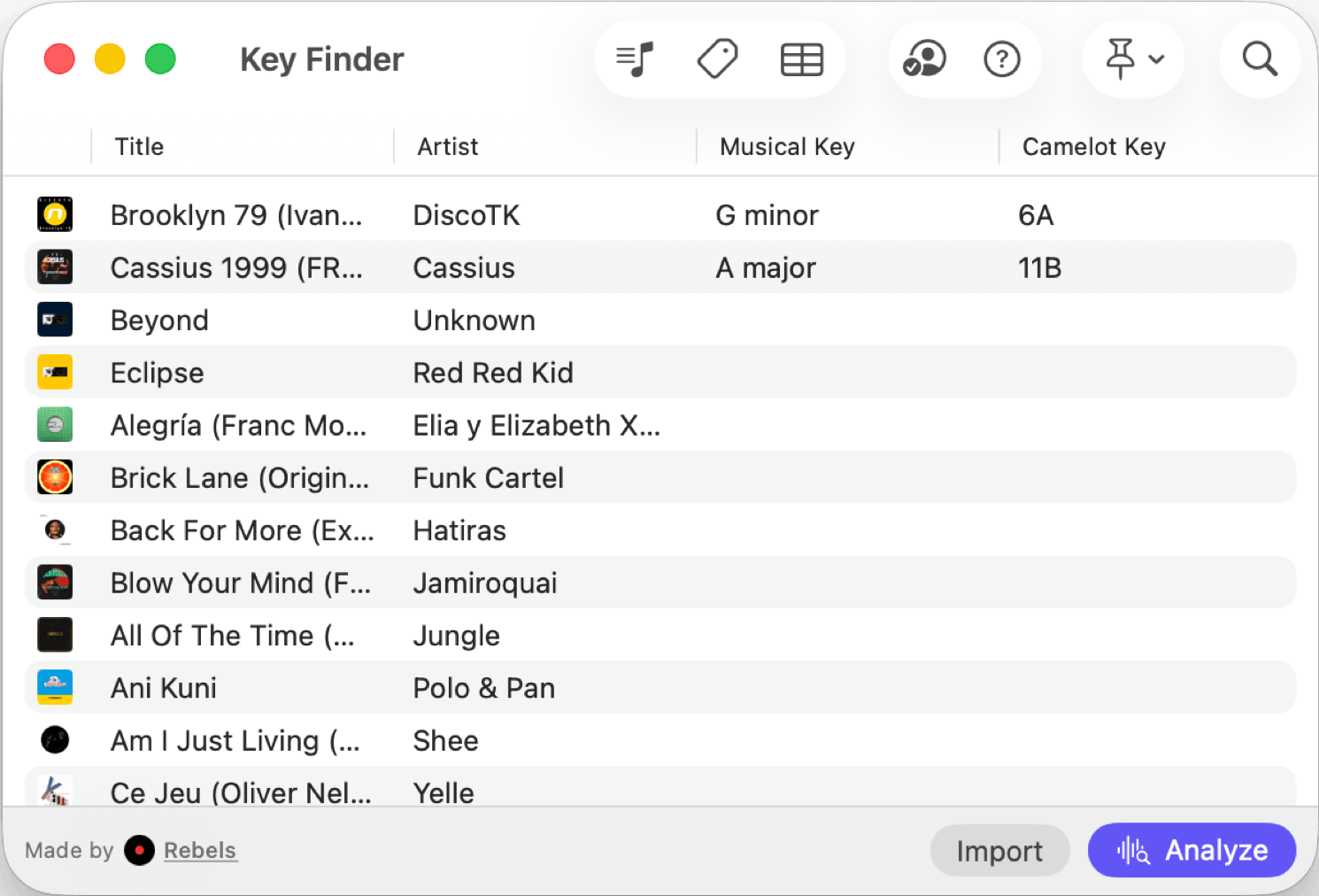
Key Finder is built to do one thing: detect the musical key of your tracks. Analysis runs on-device in about a second per track, entirely offline. Your audio files never leave your Mac, iPhone, or iPad.
The notation flexibility is worth calling out. Results display in Camelot codes (the format used by most DJ software and harmonic mixing workflows), standard musical notation, or Open Key. Whichever system you work in, Key Finder speaks it natively.
Because it is a universal purchase, the same $6.99 covers Mac, iPhone, and iPad. If you're checking key compatibility mid-crate-dig on your phone or pulling up tracks on an iPad at the studio, the same app covers it. Mixed In Key has no mobile version of any kind, which is a meaningful gap for anyone whose workflow crosses devices.
DJs and producers in the Apple ecosystem who want fast, accurate, offline key detection without paying for analysis features they don't need.
Mixed In Key
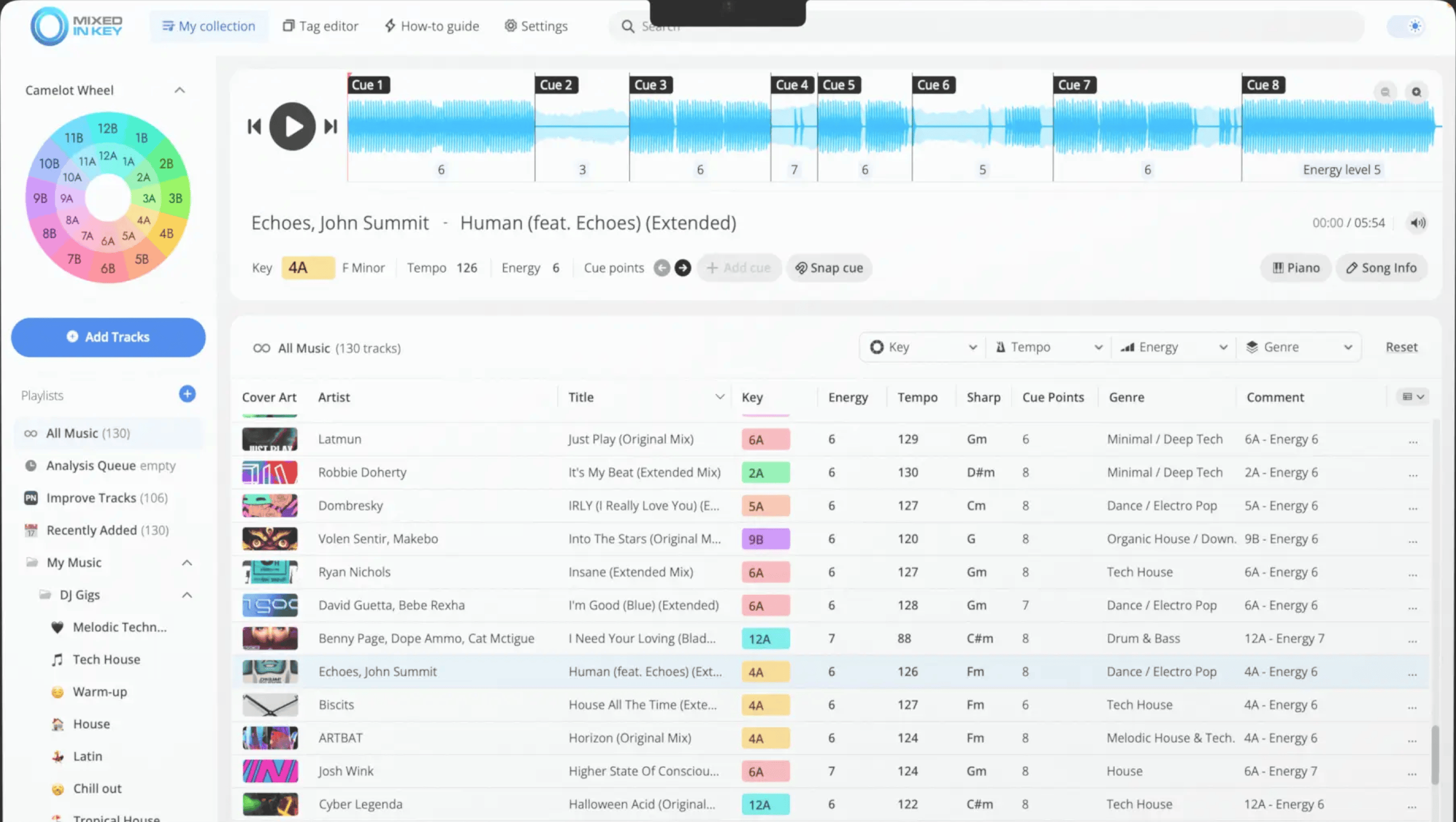
Mixed In Key has been the benchmark for harmonic analysis since 2006. The list of DJs who use it reads like a festival lineup, and it has earned that reputation by doing considerably more than key detection.
In a single analysis pass, it detects musical key with Camelot codes, BPM, energy level per track, and automatically places up to eight cue points. The Pro version adds mashup suggestions and mixout recommendations. If your prep workflow is built around harmonic mixing and you want all of that data from one tool without running multiple apps, there is nothing that competes with it at this level.
If key detection is all you need, $58 is a hard price to justify. Mixed In Key earns its premium when you are using the full feature set. When you are only using it as a key finder and ignoring everything else, you are paying for five features and getting value from one.
Worth noting: there is no iPhone or iPad version. If your workflow crosses Apple devices, Mixed In Key does not follow you there.
DJs whose workflow is built around harmonic mixing and who want BPM, key, energy levels, and cue points analyzed in a single pass from one tool.
Which one should you get?
The honest answer is that these tools are not really competing for the same buyer. If key detection is all you need, Key Finder is the clear choice: accurate, offline, fast, covers every Apple device on one $6.99 purchase, and integrates with every major DJ platform.
Mixed In Key makes sense when you are building a prep workflow from scratch and want BPM, key, energy, and cue points handled in a single pass. The $58 standard edition is a reasonable investment in that context. But if you already have a BPM finder you trust and you are adding key detection to your stack, paying $58 to duplicate a capability you already have is bad value.
What I actually use
Key Finder, alongside a separate BPM tool. My prep workflow lives entirely on Mac and iPhone. The $6.99 is the easiest purchase I've made in this space.
If you are starting from zero and want BPM, key, and danceability analysis in one tool that stays inside the Apple ecosystem, Track Analyzer covers all three on Mac. It is the option I would reach for if I were building a prep stack from scratch and wanted a single-app solution without the Mixed In Key price tag.