 Audio Tag Editor
 BPM Finder
 Live BPM Finder
 Key Finder
 Mix Maker
 Track Analyzer
 Transition Finder
 VST Manager
If you are coming from Windows, you know Mp3tag. It is free over there, it handles everything, and you probably used it for years without thinking twice about it. When you switch to Mac and search for it, you find that the Mac version exists but costs $24.99. That is a reasonable reaction to have, and it is what usually lands people on this page.
The honest answer is that Mp3tag on Mac is good but no longer unique. There are now two strong Mac-native paid alternatives at different price points, and depending on your workflow, either one might be a better fit than carrying your Windows habits across. Here is a clear breakdown of all three.
At a glance
The best Mp3tag alternatives for Mac
Audio Tag Editor (best value)
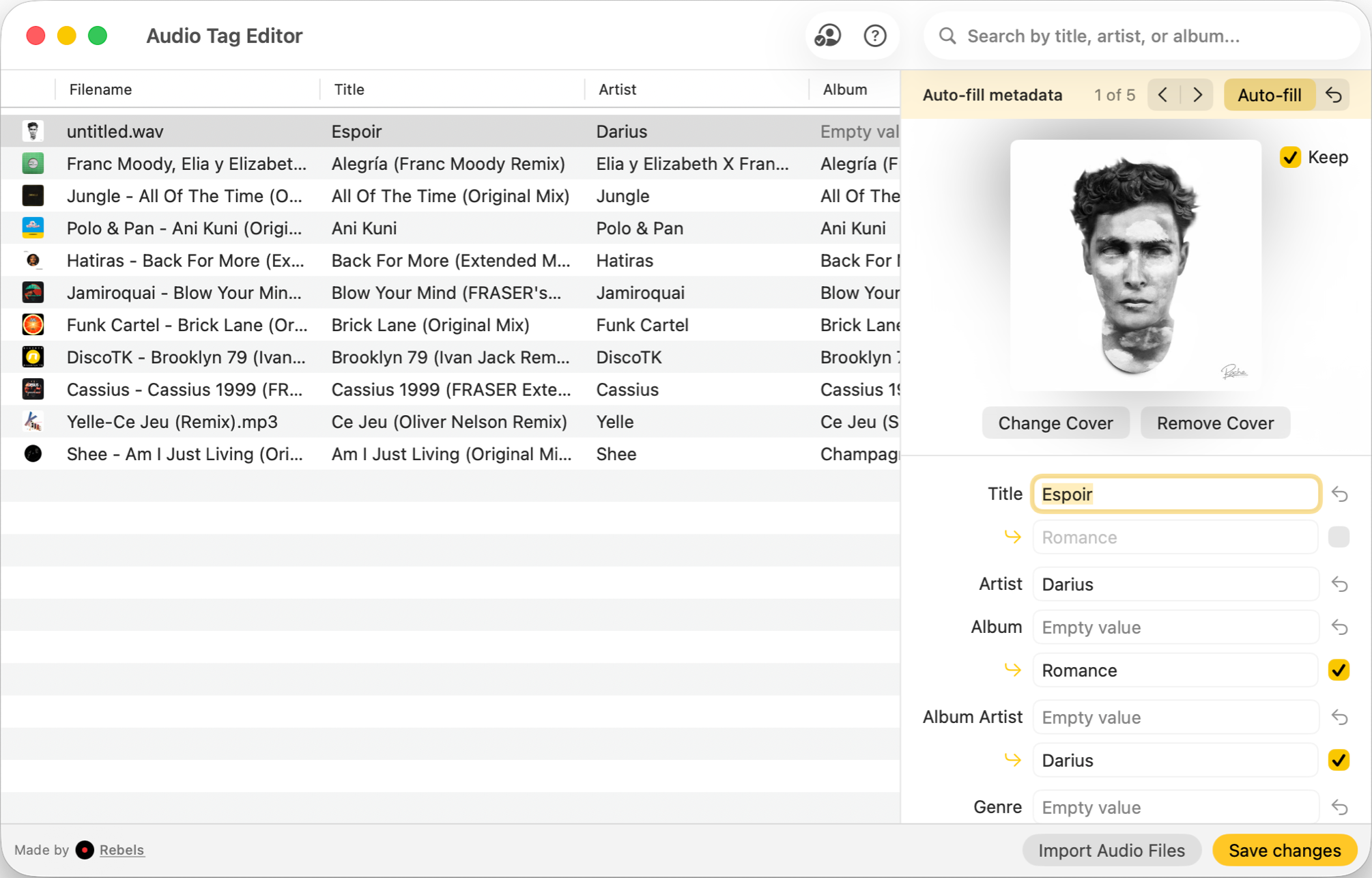
Audio Tag Editor is the sharpest value in this category. It covers all the core tagging work: batch field editing, metadata lookup with manual review, album artwork management, and fully offline operation (except when you trigger a lookup). It handles MP3, FLAC, WAV, MP4/M4A, OGG, AIFF, OPUS, APE, DSD, and WavPack, which covers the full set you will encounter in most DJ and producer workflows.
The standout detail is cross-device coverage. The same $8.99 purchase works on Mac, iPhone, and iPad. Batch editing on iOS is genuinely rare, and if any part of your workflow happens on a phone or tablet, no other paid alternative follows you there. For most DJs, that alone makes the choice straightforward.
DJs and producers who want fast, offline batch tag editing across Mac and iOS devices without paying a premium for features they don't need.
Meta (best for power users)
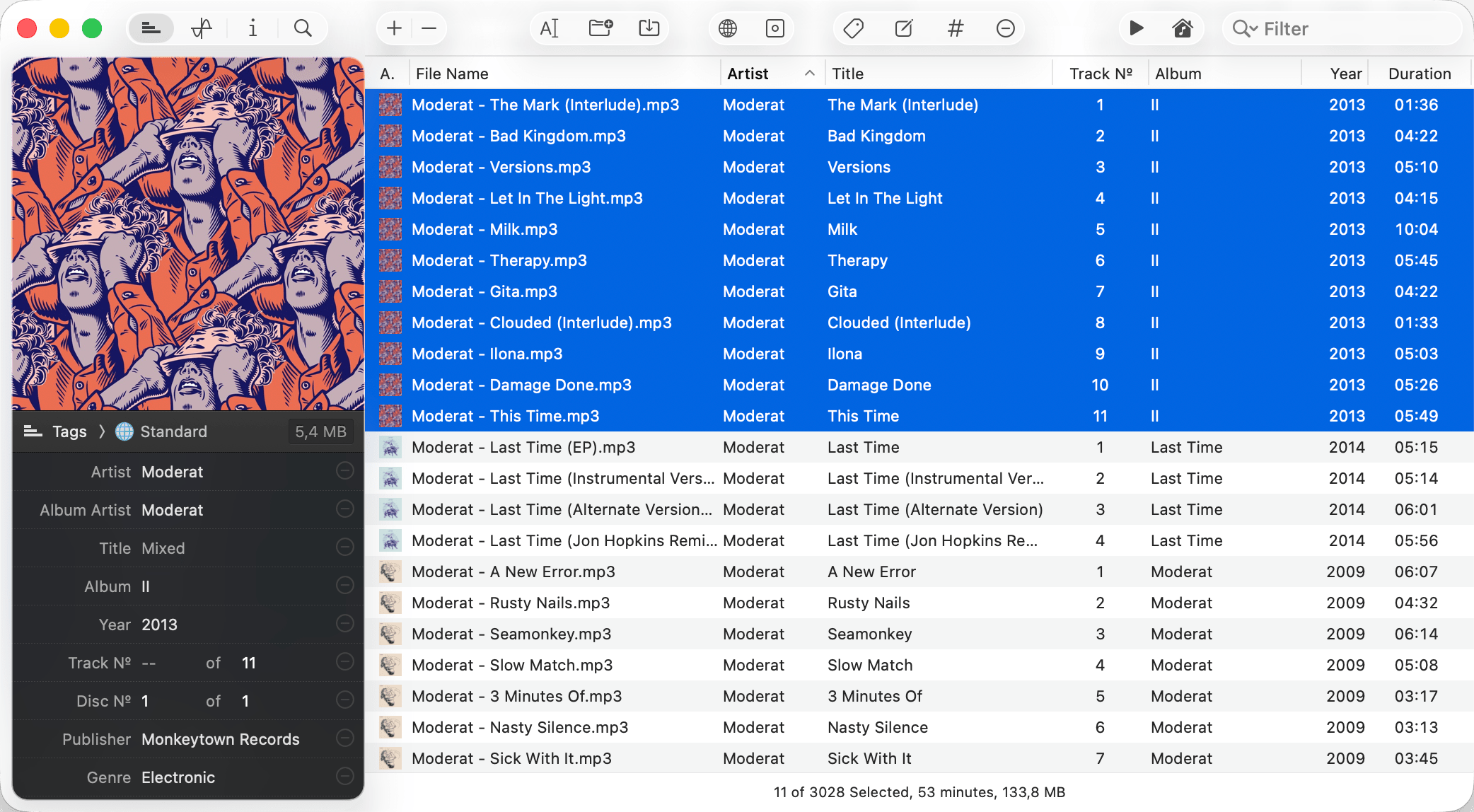
Meta is the most complete Mac-native tag editor available. At $24.99 it matches Mp3tag's price, but it does more in the areas that matter to Mac users: library synchronization with iTunes and Music.app, file organization with directory creation, find and replace with regex support, and drag-to-order track numbering.
For producers and library managers who need to rename and reorganize a large collection, Meta is closer in spirit to a full library management tool than a simple tag editor. The interface really fits macOS conventions well.
The limitation is clear: Mac only. No iPhone, no iPad. If your collection management ever moves off the desktop, Meta does not follow.
Mac users who manage large libraries and need file renaming, library sync with Music.app, and organized folder structures alongside tag editing.
Mp3tag (the original, now on Mac)
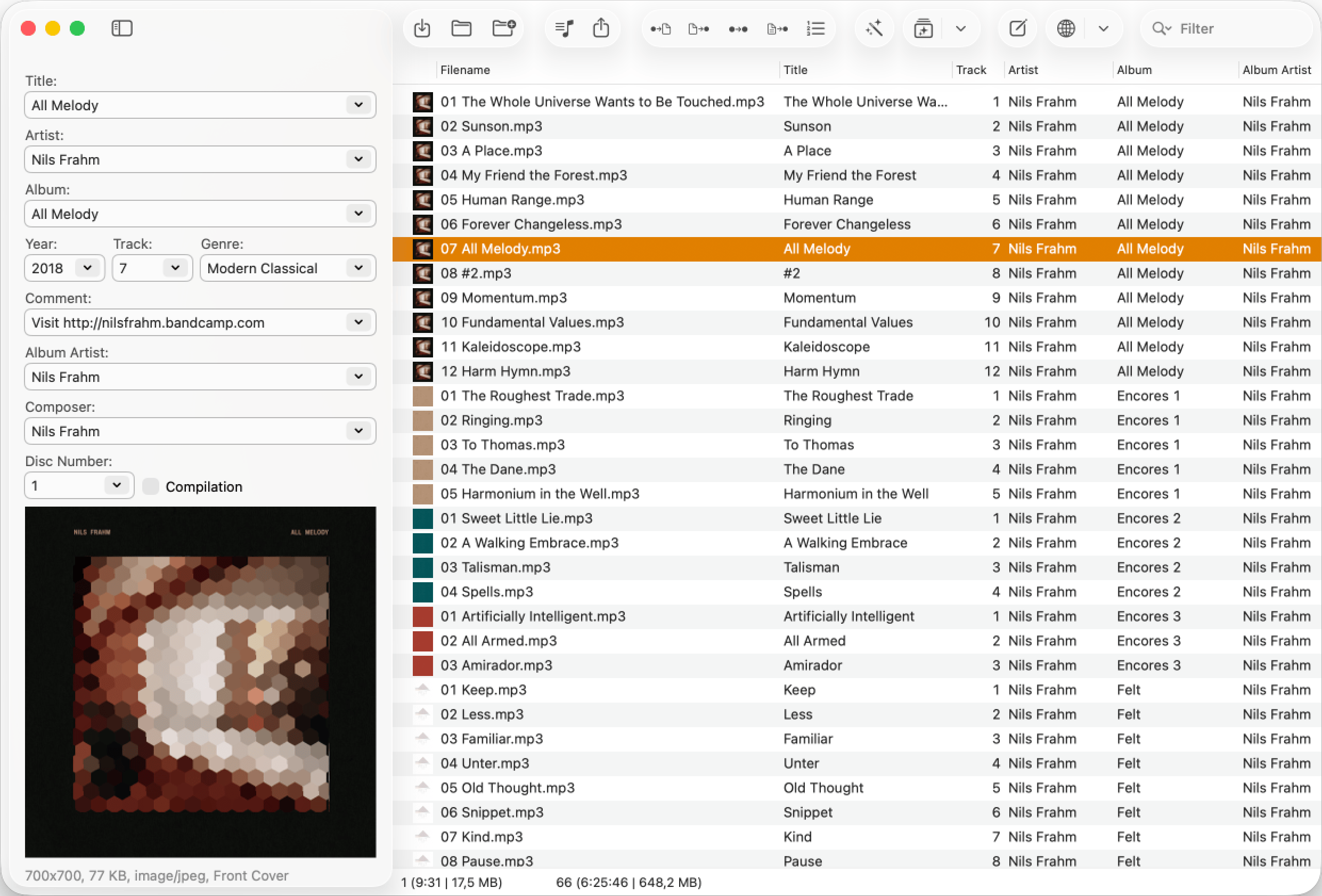
Mp3tag is genuinely good on Mac. It is a native, well-maintained app that covers 23 audio formats, file renaming, and action groups (reusable automated sequences of tag operations). If you built years of workflows on Mp3tag for Windows and want to carry them to Mac, the Mac version will feel familiar and the investment may make sense.
The honest comparison: Meta and Audio Tag Editor cover what most people actually need from a tag editor, at similar or lower prices and with better platform fit for Mac and iOS users. Mp3tag earns its $24.99 if you are specifically coming from a Windows workflow, if you need its automation depth, or if you work with formats outside the common set.
Mac users migrating from Mp3tag on Windows who want to carry their existing workflows and automation to macOS.
What about free options?
If you need to inspect audio tags without editing anything, Rebels offers a free online audio tag viewer that reads tag data directly in your browser with no installation and nothing uploaded. It is the right tool for a quick check on any device, but not a substitute for batch editing.
MusicBrainz Picard is also worth a mention. It is free, open source, and available on Mac. The focus is on automatic lookup and tagging from the MusicBrainz database, which makes it powerful for identifying and tagging unknown files. The interface is dated and requires more setup than the paid apps, but the price is hard to argue with for batch lookup work specifically.
What I actually use
Audio Tag Editor, because my tagging workflow is batch field editing, artwork cleanup, and the occasional metadata lookup. Audio Tag Editor handles all of it faster than anything else I have tried, it works on my iPhone, and the $8.99 paid for itself the first afternoon I used it.
If I were managing a large archive where file naming consistency and Music.app sync were important, I would use Meta. The feature set is worth the $24.99 in that context. But for the DJ and producer use case where the goal is clean tags, correct artwork, and correct BPM and key fields before import, Audio Tag Editor does everything that matters.