 Audio Tag Editor
 BPM Finder
 Live BPM Finder
 Key Finder
 Mix Maker
 Track Analyzer
 Transition Finder
 VST Manager
If you have done any research into Mac tag editors, you have landed on the same two names: Audio Tag Editor and Meta. Both are paid, both run natively on Mac, and both handle the core work of batch editing and metadata lookup. The decision comes down to two questions: how much do you need, and which devices do you need it on?
This is a focused comparison for Mac-based DJs, producers, and anyone managing a music library who wants a clear answer on which one to spend their money on.
At a glance
The apps
Audio Tag Editor
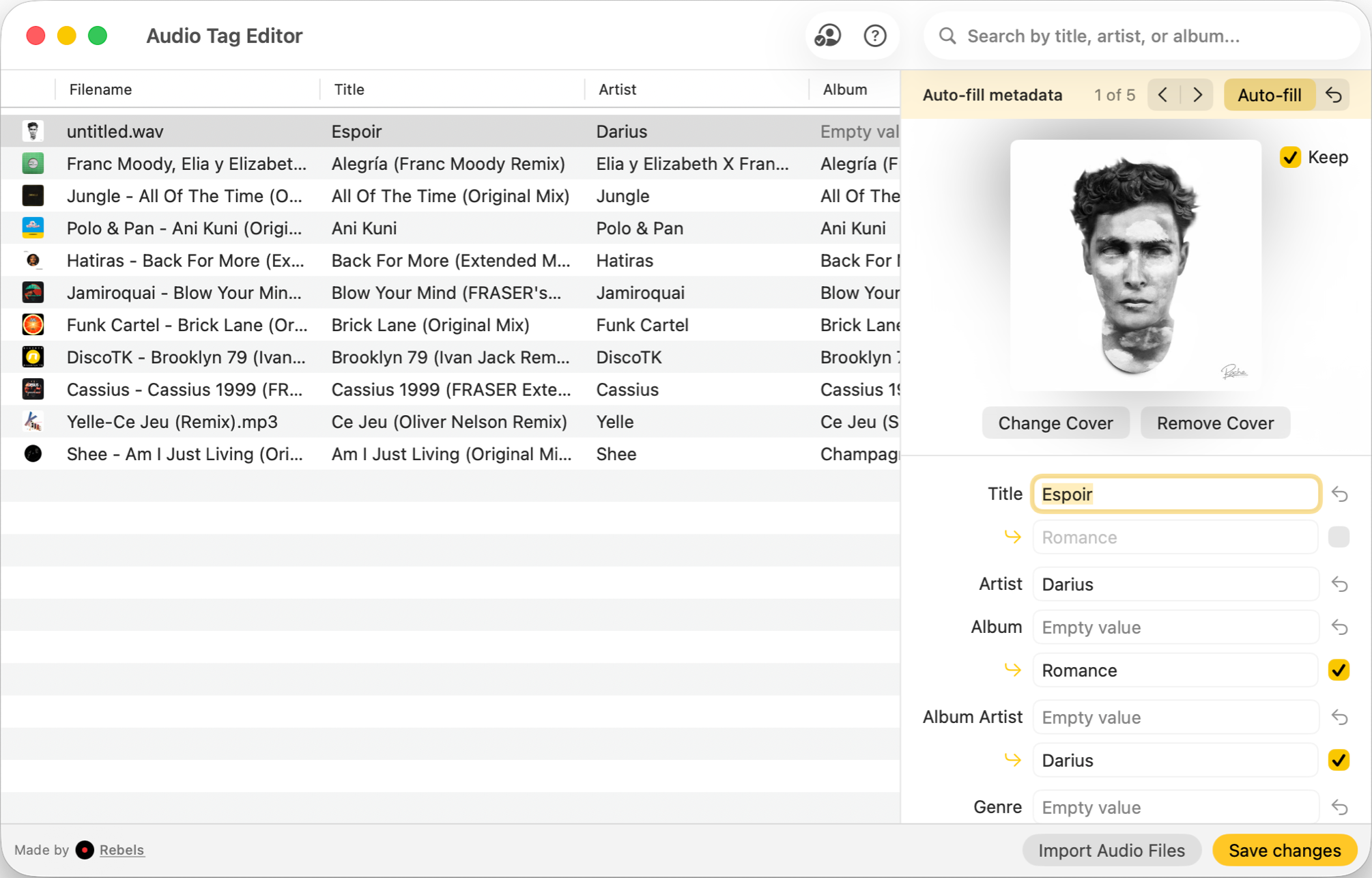
Audio Tag Editor takes a focused approach: edit tags, manage artwork, look up metadata, do it all offline and in batch. The workflow is fast and the interface stays out of your way. It handles MP3, FLAC, WAV, MP4/M4A, OGG, AIFF, OPUS, APE, DSD, and WavPack, covering everything a DJ or producer typically works with.
The metadata lookup pulls suggestions from online databases and holds them for you to review before committing. That single detail matters more than it might seem; destructive auto-tagging on a large batch is one of the more frustrating problems to undo. Audio Tag Editor never writes without your confirmation.
The clearest advantage over Meta is platform coverage. The same $8.99 extends to iPhone and iPad, and batch editing on iOS is something essentially no other paid tag editor offers. If you ever pull up tracks on a tablet or phone during prep, the same tool is there.
DJs and producers who want fast, safe batch tag editing across Mac and iOS devices at the lowest price in the category.
Meta
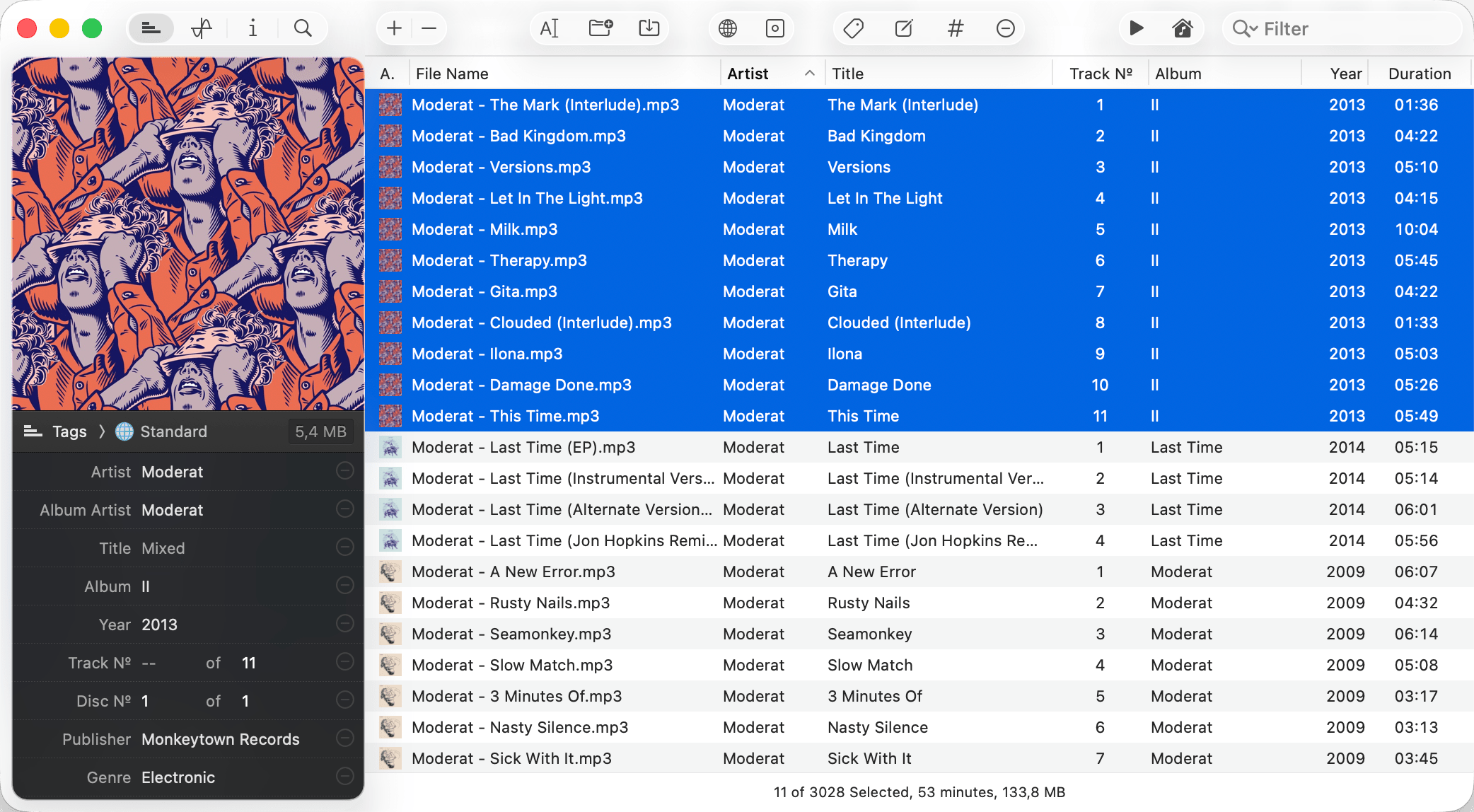
Meta is the most full-featured Mac tag editor available. At $24.99 it is not cheap, but the feature depth is real. File renaming lets you restructure filenames from tag data automatically. Find and replace with regex support makes systematic text corrections across a large library fast.
The interface fits the platform well. You can customize the workspace layout, set up drag-to-order track numbering, and run automated workflows that would otherwise require manual work across dozens of files.
If you manage a music collection that lives primarily in Apple Music or iTunes, Meta is the only tag editor in this comparison that closes the loop. Tag changes you make in Meta propagate to your Music library without re-importing anything.
What Meta does not do is follow you to iPhone or iPad. It is Mac-only, full stop.
Mac users managing large music libraries who need file organization, library sync with music apps listed, and advanced text editing alongside standard tag work.
Which one should you get?
For most DJs and producers, the choice comes down to workflow. If your prep is on Mac and occasionally on iPhone or iPad, Audio Tag Editor covers every step at $8.99. The features it lacks (file renaming, library sync) are features most DJs never need.
Meta is worth the $24.99 if your collection lives in Apple Music and you want changes reflected there automatically, if you need to rename and reorganize a large archive, or if you do systematic text manipulation across many files. Those are legitimate use cases, and Meta is the better tool for them. But they describe a narrower audience than the average DJ or producer.
What I actually use
Audio Tag Editor for day-to-day tagging. Batch editing metadata, cleaning up artwork, checking and correcting BPM fields before an import into Rekordbox: all of it runs faster than anything I have used before, and it works the same way on my iPhone.
If I were archiving a large catalog and needed consistent file naming, I would switch to Meta. The extra $16 would be worth it for that workflow. But for prep-focused tagging, Audio Tag Editor does everything that matters.