 Audio Tag Editor
 BPM Finder
 Live BPM Finder
 Key Finder
 Mix Maker
 Track Analyzer
 Transition Finder
 VST Manager
Mp3tag has been the go-to tag editor on Windows for over twenty years, and in recent years it finally arrived on Mac as a paid native app. Audio Tag Editor approaches the same problem from a different direction: a focused, cross-device tool built for Mac, iPhone, and iPad from the start. Both cost money. Both do batch editing. The differences are worth understanding before you spend either.
This comparison is for Mac-based DJs, producers, and library managers deciding between the two. If you come from Windows and already know Mp3tag, this will help you decide whether to keep using it or switch. If you are starting fresh, it tells you which one fits the kind of tagging work you actually do.
At a glance
The apps
Audio Tag Editor
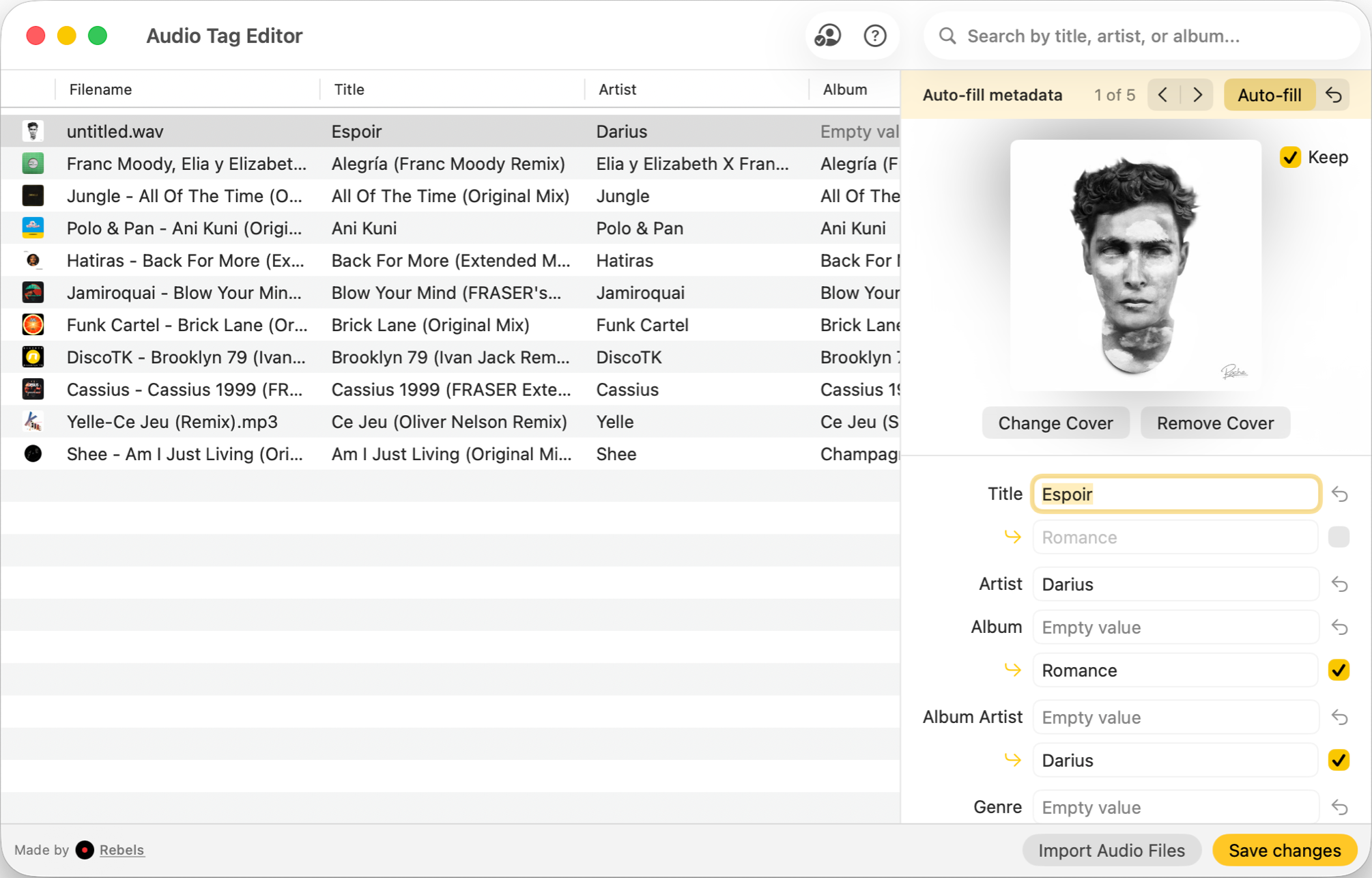
Audio Tag Editor covers the core tagging workflow cleanly: open files, edit fields in batch, pull metadata from an online database, manage artwork, save. It handles MP3, FLAC, WAV, MP4/M4A, OGG, AIFF, OPUS, APE, DSD, and WavPack, which covers everything you are likely to encounter in a DJ or producer context.
The auto-fill lookup pulls suggestions from online databases and holds them for you to review before committing. That is the right behavior. Destructive auto-tagging on a large batch is one of the more frustrating problems to undo, and Audio Tag Editor never writes without your confirmation. The rest of the editing is fully offline; only the lookup requires internet.
What makes Audio Tag Editor genuinely different is the cross-device coverage. The same $8.99 purchase extends to iPhone and iPad, and batch editing on iOS is rare. If any part of your workflow happens on a phone or tablet, this is the only paid option that follows you there.
DJs and producers who want clean, offline batch tag editing across Mac and iOS devices on a single affordable purchase.
Mp3tag
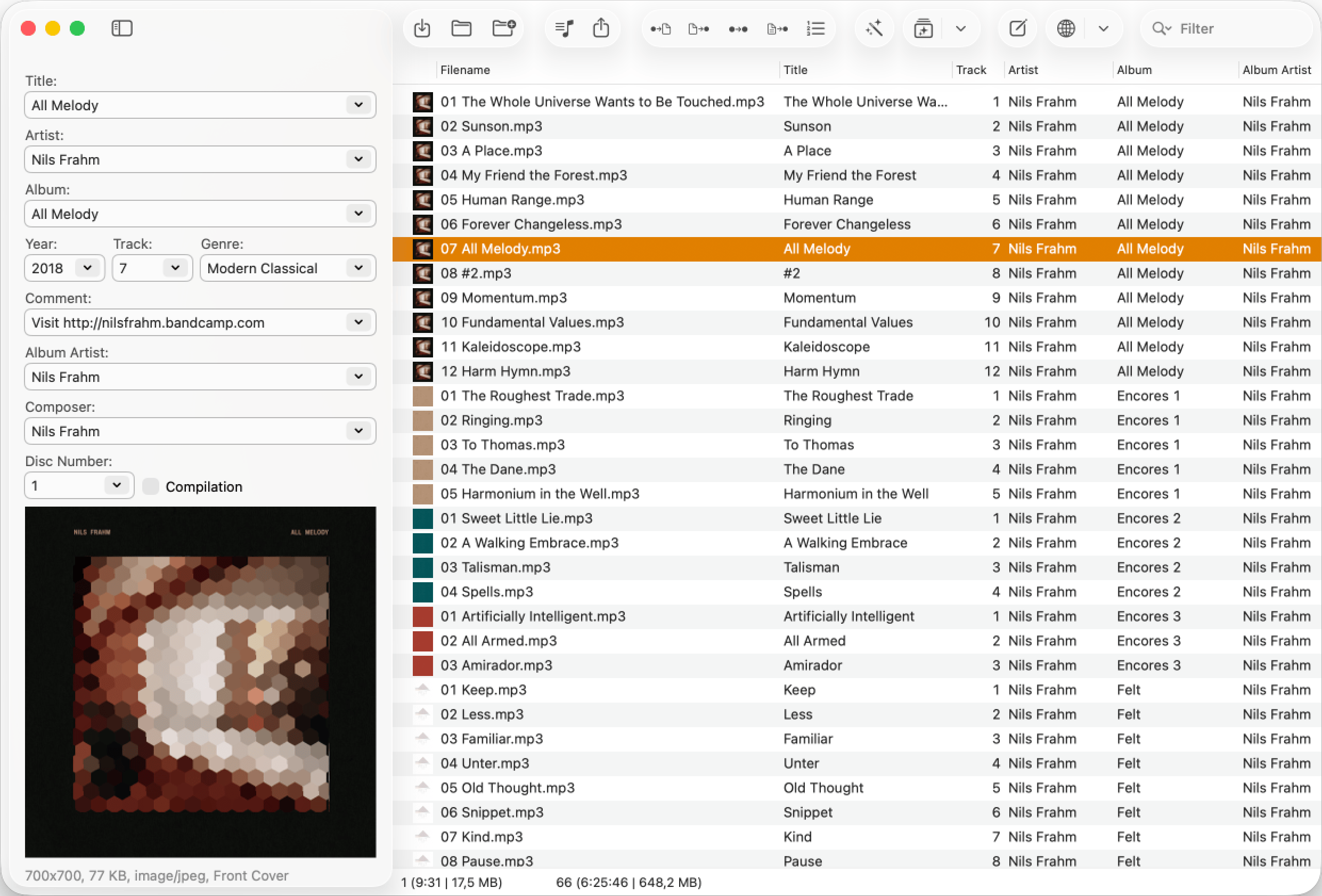
Mp3tag started on Windows and spent two decades becoming the standard tool for audio tagging in that world. The Mac version is a native, well-maintained app that brings the core of that functionality to macOS. With 23 format types supported, it covers niche codecs like TAK, TTA, OptimFROG, and Musepack that you will not find in most competitors.
The two features that set it apart from simpler tag editors are file renaming and action groups. File renaming lets you restructure filenames based on tag data automatically, which is useful for managing a large library with inconsistent naming. Action groups are reusable workflows that run a sequence of tag operations in one click: case normalization, field cleanup, numbering, and similar repetitive tasks. For anyone with a complex tagging process they run regularly, that automation is genuinely valuable.
One practical note on the Discogs lookup: it requires album-level information to search and cannot find tracks by artist and title alone. If you primarily tag individual tracks rather than full album imports, that is a real friction point worth knowing before you buy.
There is no iPhone or iPad version. Mp3tag for Mac is desktop-only.
Mac users with complex tagging workflows who need file renaming, automation, or support for audio formats beyond the common set.
Which one should you get?
For most DJs and producers, Audio Tag Editor handles everything that matters at a significantly lower price. Batch editing, artwork management, metadata lookup with review, offline operation, and it works on iPhone and iPad too. The $8.99 is hard to argue with.
Mp3tag is worth paying $24.99 for if you need file renaming, if you have built action group workflows you want to carry over from Windows, or if you work with formats outside the common set. Those are legitimate use cases. If none of those apply to you, you are paying nearly 3x the price for features you will not use.
What I actually use
Audio Tag Editor. My tagging work is almost entirely batch editing, metadata cleanup, and artwork management. Audio Tag Editor handles all of it, it works on my iPhone when I am tagging on the go, and the price is a non-issue.
If I were managing a large catalog where consistent file naming is critical, or if I had a complex sequence of tag operations to automate that I had built over years on Windows, I would move to Mp3tag. The action groups alone would justify it in that context. But that describes maybe 10% of the DJs and producers I know. For everyone else, Audio Tag Editor is the smarter spend.