 Audio Tag Editor
 BPM Finder
 Live BPM Finder
 Key Finder
 Mix Maker
 Track Analyzer
 Transition Finder
 VST Manager
Most people discover their Mac has a metadata problem in one of two ways: a DJ software import that pulls in 200 tracks with missing or incorrect genres, or a music player that shows a dozen "Unknown Artist" entries from files that were downloaded years ago. The tools to fix this exist, they range from free open-source software to specialized paid apps, and the right one depends almost entirely on how much control you want over the process.
Here is what the Mac ID3 tag editor market looks like in 2026, broken down by the kind of user each tool actually serves.
At a glance
The best ID3 tag editors for Mac
Audio Tag Editor (best for simplicity and cross-device continuity)
Pros
- Clean interface with no learning curve
- 100% offline, no files leave your machine
- MusicBrainz and Discogs lookup both integrated
- Batch editing across multiple files at once
- One purchase covers Mac, iPhone, and iPad
Cons
- No scripting or automation features
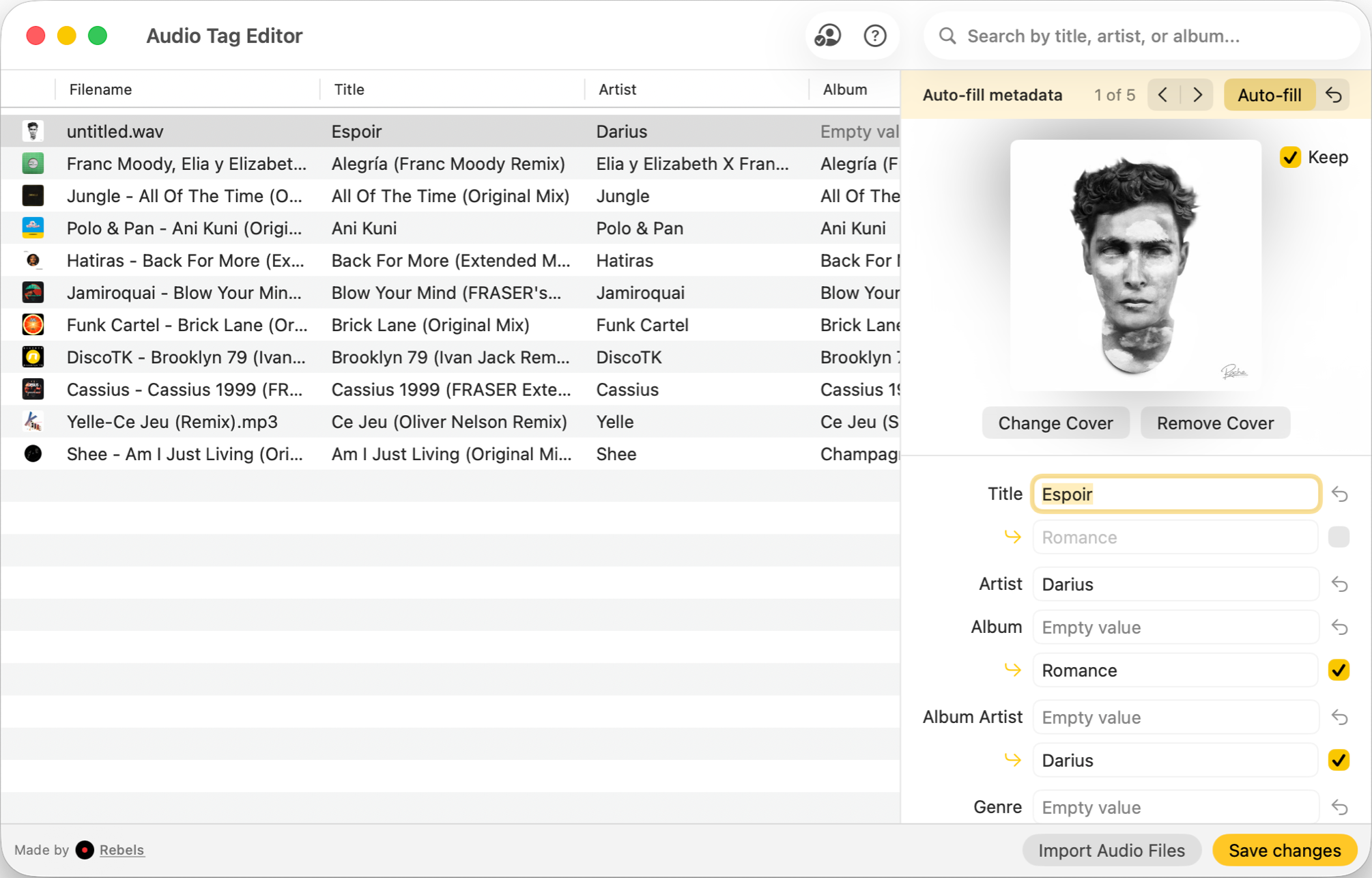
Audio Tag Editor is the tag editor for someone who knows what they want to change and wants to change it quickly. Edit title, artist, album, genre, year, and artwork across individual files or in batch, with the result written directly to each file and no data sent anywhere. The interface is clean enough that there is no setup and no documentation to read before you can start.
It also supports looking up metadata automatically, to help you gap-filling for missing tags.
The universal purchase is the distinguishing feature for users who work across devices. The same $8.99 covers the iPhone and iPad versions, meaning you can continue tag editing away from your Mac when needed. None of the other paid tools in this roundup offer that.
DJs, audiophiles, and music lovers who want extensive, offline tag editing on Mac, and who want the same app available on iPhone and iPad under the same purchase.
Mp3tag (best for power users)
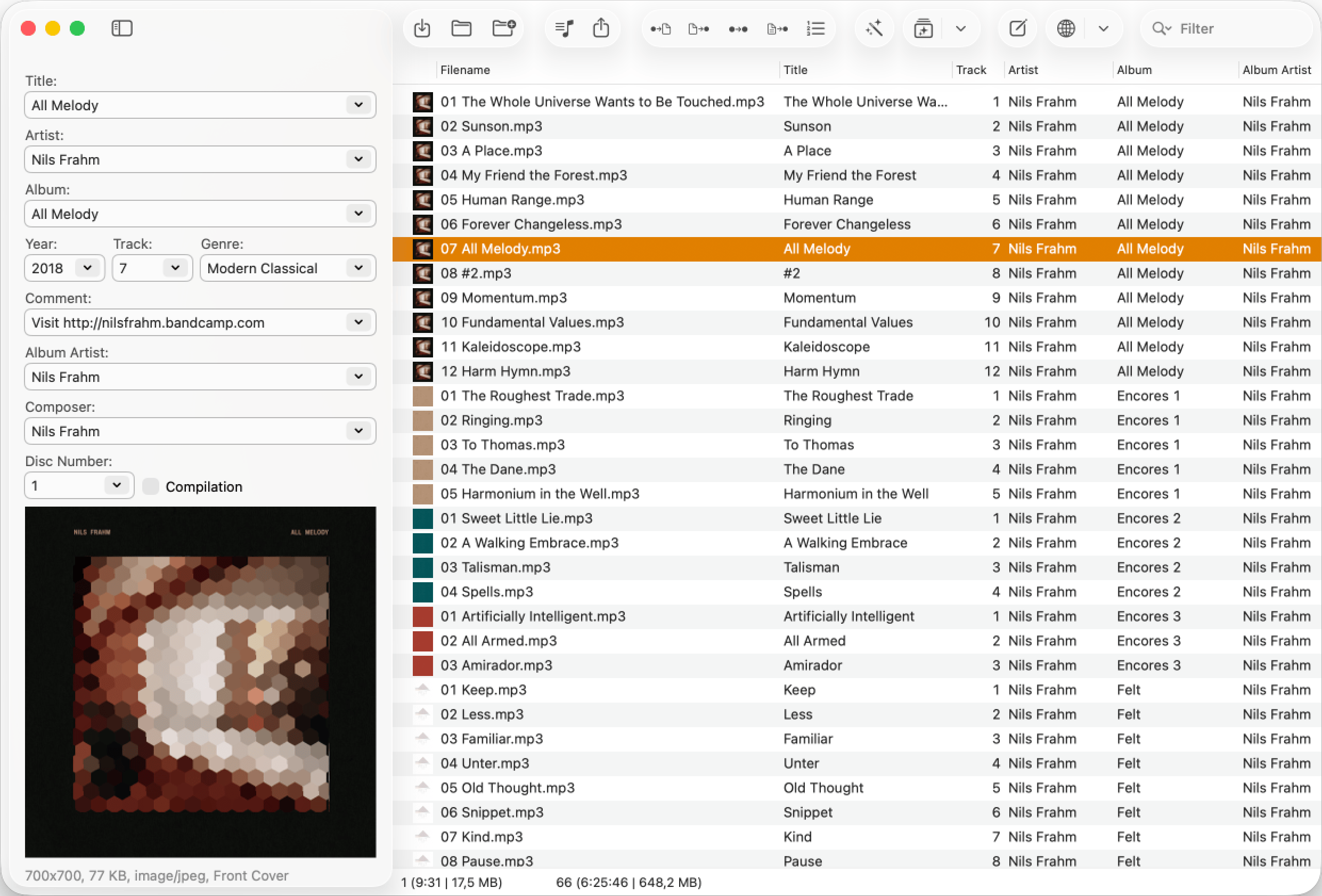
Mp3tag has long been the reference application for audio tag editing, and its Mac-native version brings the full feature set to macOS without compromise.
Cover art management is more sophisticated than any other tool in this list: you can add, replace, reorder, or remove covers for a single file or an entire batch, with options for scaling and compression. For audiophiles who care about consistent artwork across a library, this level of control is practical.
Power users with large libraries who need advanced cover art management, and the most complete batch editing feature set available on Mac.
Meta (best for batch-first workflows with Discogs)
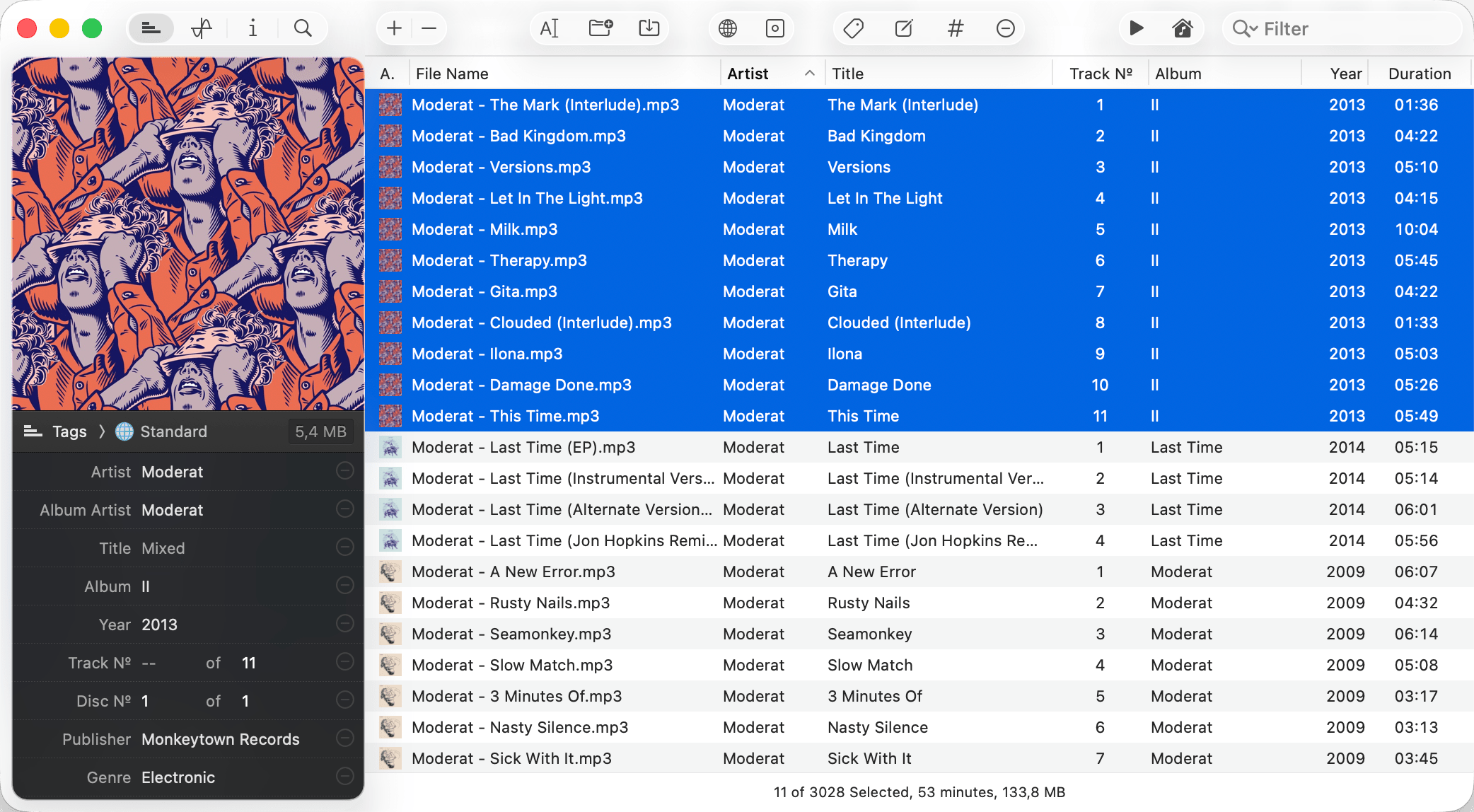
Meta's interface is designed to keep multiple files visible at once in a spreadsheet-style layout, with changes applying across a selection rather than requiring file-by-file editing. For a DJ doing a library cleanup session where many files share the same problem, this design makes the work go faster.
The Discogs integration handles online metadata lookup for albums and tracks, pulling in correct titles, artists, and artwork for releases in the Discogs database. This is particularly useful for DJ-oriented music, where Discogs often has better release data than other databases. The lack of MusicBrainz integration is a genuine limitation compared to Mp3tag, but for users whose libraries consist primarily of commercially released music, Discogs covers most cases.
The regex find and replace is a power feature that most users will not need, but it becomes invaluable for specific cleanup tasks: removing unwanted prefixes from album names, standardizing genre labels across thousands of files, or fixing systematic naming errors in a batch. Multiple sidebar layouts (Standard, Extended, Classical, Podcasts) let you configure the interface for different types of music collections.
DJs and producers who want batch-first tag editing with Discogs lookup and regex find-and-replace, at a price comparable to other professional alternatives.
Yate (best for scripting and deep integrations)
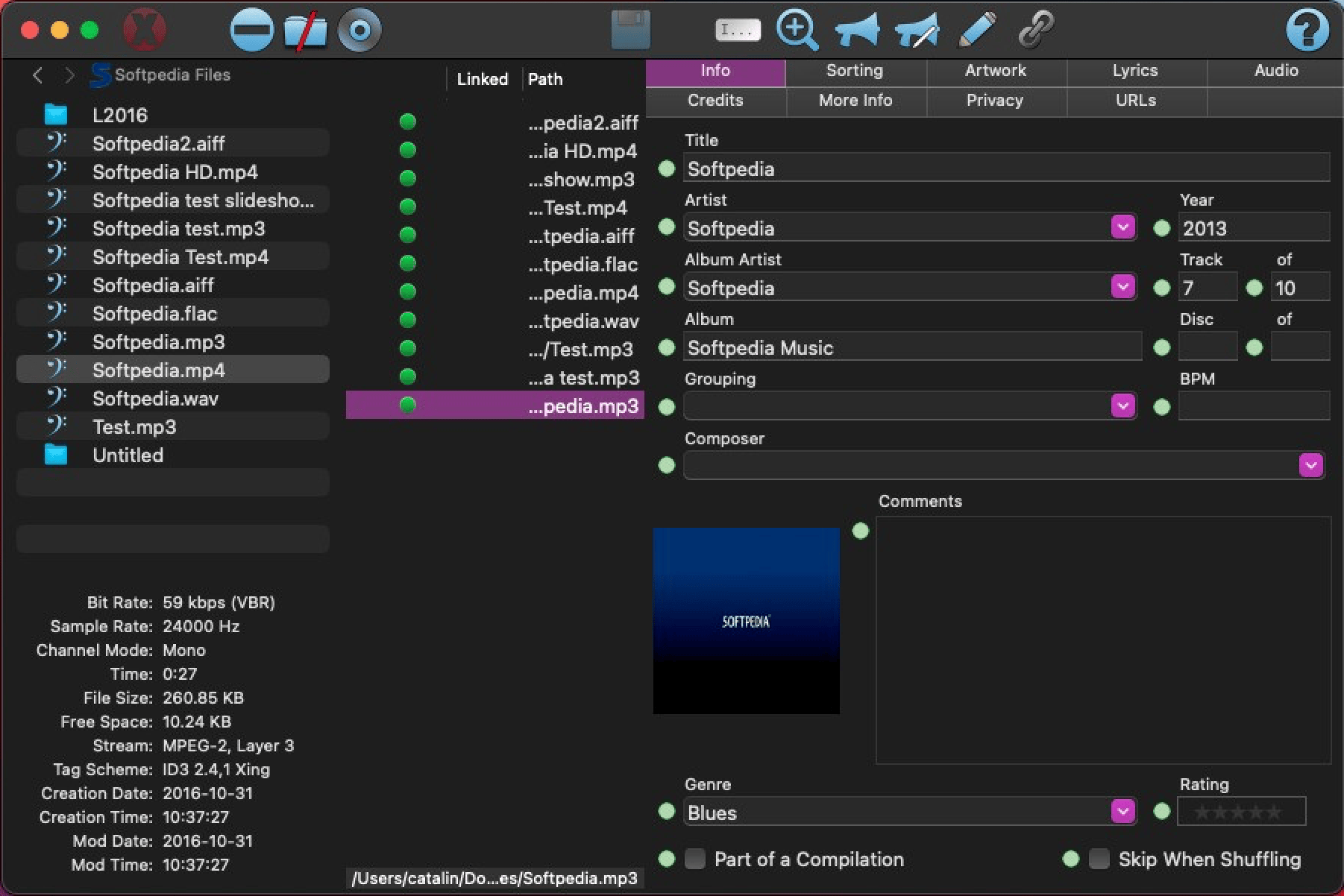
Yate is the most powerful option in this list for users who want to automate their tagging workflow. The "actions" scripting system lets you define sequences of tagging operations that run with a single trigger. If you import music from a specific source that always arrives with the same set of tagging problems, you can build a script that fixes all of them automatically. This is a significant investment upfront but pays off for anyone who processes music regularly.
The integration list is the most extensive in this category: MusicBrainz, Discogs, Beatport, AcoustID, AcousticBrainz, Fanart.tv, iTunes, Music, and last.fm are all accessible within Yate for lookup, enrichment, and verification. For a music archivist or serious collector who wants to cross-reference multiple databases to ensure metadata accuracy, nothing else in this roundup comes close.
The price is $20 one-time, with a 14-day full-featured trial available before committing.
Power users who want scripting and automation for complex tagging workflows, with access to the broadest range of metadata databases available on Mac.
What about free options?
Two free tools are worth knowing, and both are genuinely capable rather than token alternatives.
MusicBrainz Picard is the official tagger for the MusicBrainz database. It uses acoustic fingerprinting to identify audio files by their sound rather than their existing tags, making it the most effective free tool for tagging a library of unknown or mislabeled files. It requires an internet connection for lookups, and the interface takes some time to learn, but for anyone with a large backlog of untagged music it is the most powerful free option available. Download it at picard.musicbrainz.org.
Kid3 is a free open-source tag editor with batch editing, metadata writing, MusicBrainz and Discogs import, and broad format support covering MP3, FLAC, OGG, MP4, AIFF, WAV, and more. The interface is functional rather than polished, but it is actively maintained and works on both Intel and Apple Silicon Macs. For a user who needs offline batch editing and does not want to pay for it, Kid3 is the most complete free option. Find it at kid3.kde.org.
What I actually use
For most tag editing jobs on Mac, Audio Tag Editor handles what I need: correct a wrong artist name, swap out a blurry cover for the right artwork, fix a genre that imported incorrectly. The interface is fast, the result is in the file, and I am not thinking about the software while I do it.