 Audio Tag Editor
 BPM Finder
 Live BPM Finder
 Key Finder
 Mix Maker
 Track Analyzer
 Transition Finder
 VST Manager
Most iPhone BPM apps work the same way: you hold your phone near a speaker, the microphone listens for a few seconds, and it gives you a tempo reading. That works fine for a quick sanity check on a track you are hearing for the first time. It does not work for analyzing the 80 tracks you just added to your library before Saturday's gig.
The distinction matters because these are two genuinely different jobs. File-based analysis processes an audio file directly and can handle hundreds of tracks in a batch, writing the result to each file's metadata. Microphone-based detection reads whatever is playing live around you. The apps that do one well rarely do the other at all. Here is an honest breakdown of the best options for each.
At a glance
The best BPM finder apps for iPhone
BPM Finder (best for library prep)
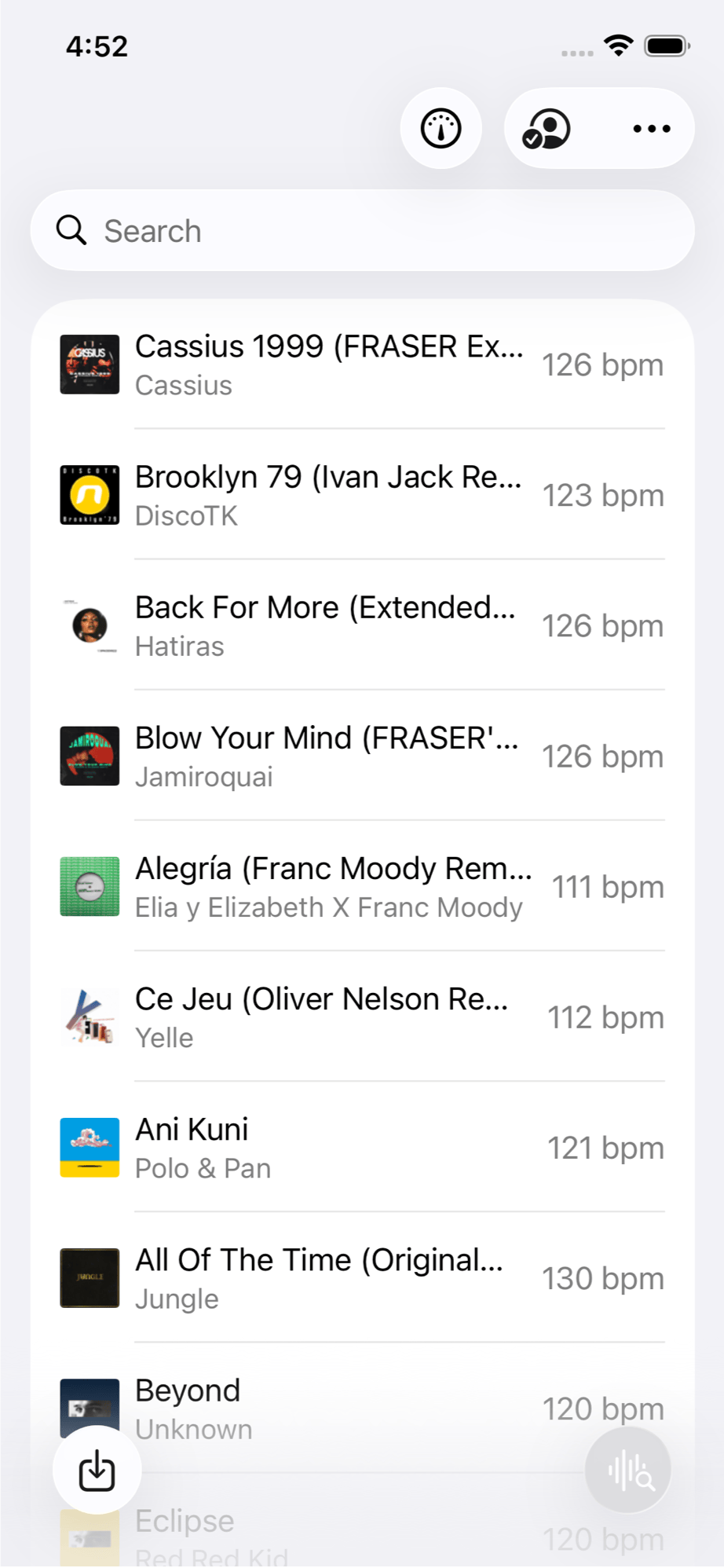
If you prep your sets on your iPhone, BPM Finder is the only app that treats mobile like a real analysis platform. It imports audio files directly from your Files app, iCloud Drive, Dropbox, or any connected cloud provider, runs detection on-device in under a second per track, and writes the result back to the file's BPM metadata tag. Your DJ software, music player, or any other app that reads tags will see the result immediately.
The batch mode is what makes it genuinely useful for prep. You can drop a folder of new downloads into the app, walk away, and come back to a fully tagged library. Everything runs locally, with no internet connection and no files sent anywhere. For privacy-conscious DJs who do not want their unreleased edits or personal rips touching a cloud server, that matters.
Because it's a universal purchase, the same $6.99 also unlocks the Mac and iPad versions. I use all three depending on where I am sitting when I do library work.
DJs and producers who want fast, offline BPM detection with metadata writing on iPhone, for a single track or an entire folder.
Auto BPM: Music Tempo Finder (best free option)
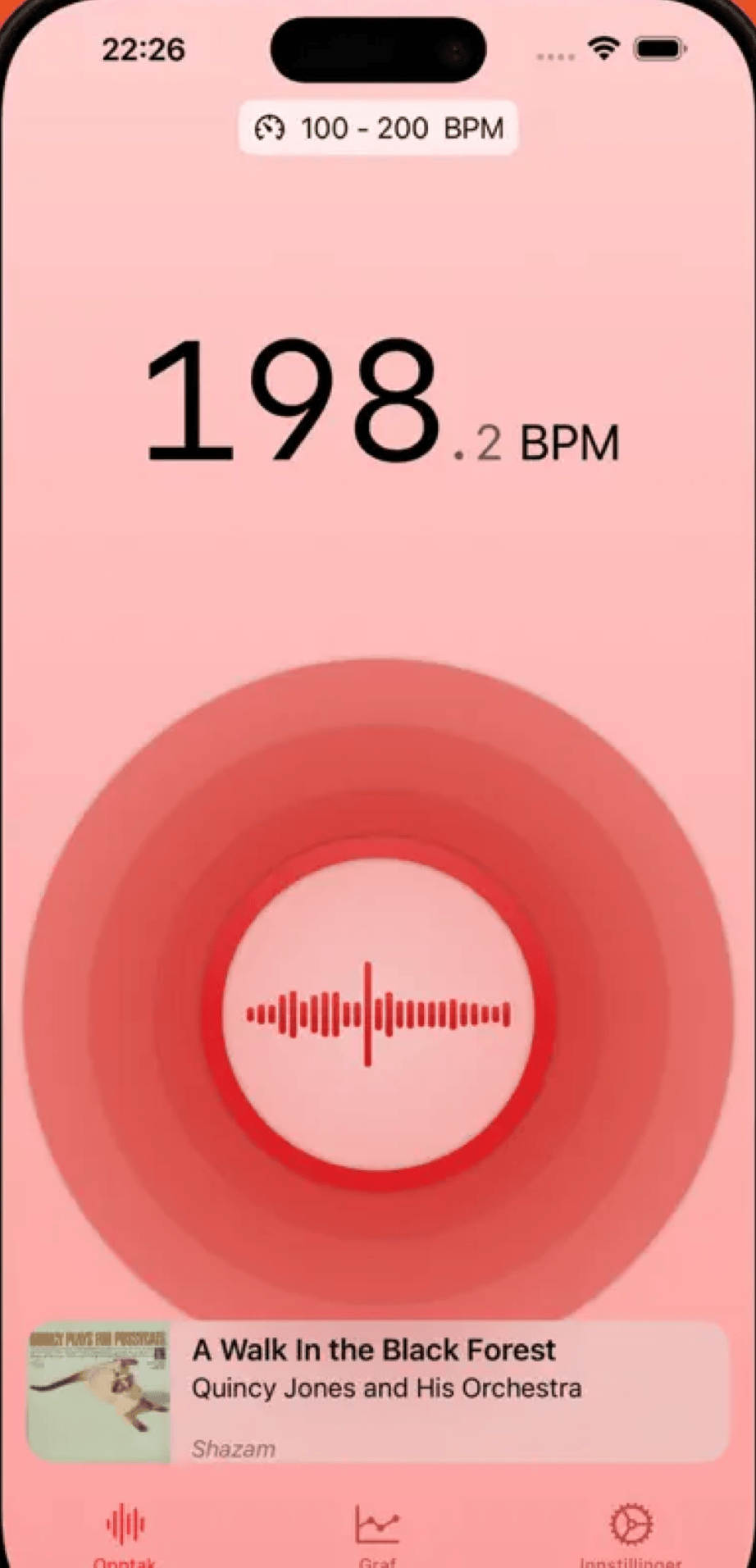
Auto BPM is a genuinely impressive free app. It listens through the microphone, calculates tempo automatically without any tapping required, and does it with accuracy that holds up well against paid alternatives in live scenarios. There are no ads, no subscriptions, and no reduced-functionality trials. It is simply free.
What it cannot do is analyze files. If you want to check the BPM of a track sitting in your Files app, iCloud Drive, or Dropbox, Auto BPM will not help. It only hears what the microphone picks up. For on-the-spot detection at a gig or while going through a record crate, it works well. For pre-gig library prep, it is the wrong tool.
The MIDI output is a genuinely useful feature that most BPM apps skip. If you run a live setup with synced effects or lights, Auto BPM can transmit the detected tempo to other MIDI-capable hardware or apps on the same device.
Musicians, producers, and DJs who need a quick, accurate BPM reading from live audio without spending anything.
BPM Detector: Live Tempo (best for live tracking with history)
Pros
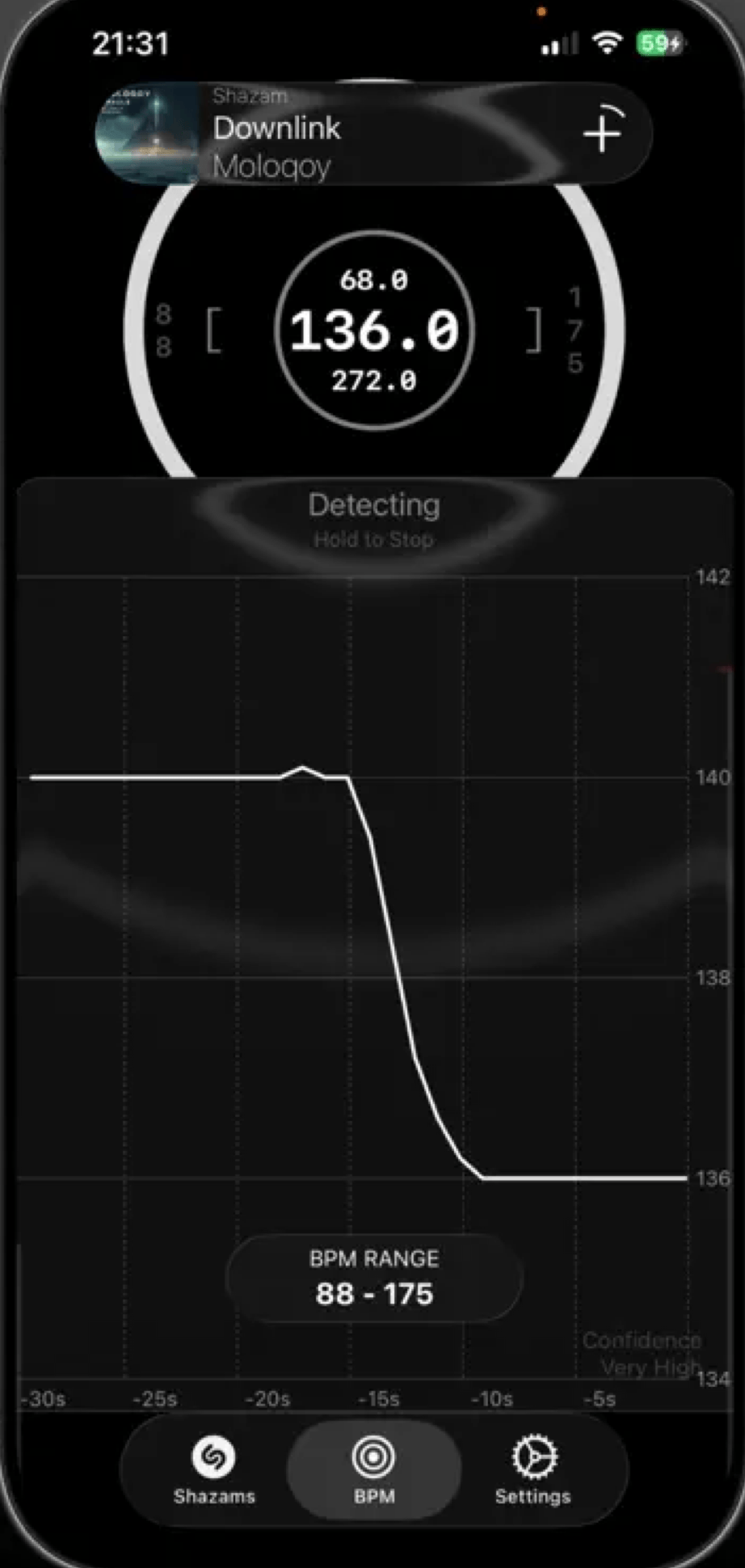
- Shazam integration to identify tracks and log BPMs with song names
- Detection history with timestamps for review after a session
- Fullscreen display readable from across a DJ booth
Cons
- Free version ads can interrupt detection and affect accuracy
- No file import or metadata writing
BPM Detector: Live Tempo adds something neither of the other apps here offer: a logged history of what you detected, paired with Shazam identification. When you are listening to a set or going through tracks and want to keep a record of which songs had which tempos, this is the tool for it. Each detection can be timestamped and tied to a track name via Shazam.
The fullscreen display mode is also worth calling out. BPM readings appear in a large format readable from a couple of meters away, which is useful if you are using your phone as a secondary display in a booth setup. The free version interrupts this with ads occasionally, which is annoying mid-set. The $9.99 lifetime unlock removes ads and adds background detection and lock-screen display.
Ads in the free version can pause music playback on some devices, which skews detection results.
Test it with the free version in your setup before deciding whether to upgrade.
DJs who want a session log of detected BPMs with Shazam track identification built in.
What about live BPM detection?
If real-time booth detection is what you need rather than file analysis, none of the three apps above are designed specifically for that use case. Live BPM Finder is a $3.99 dedicated option built for exactly that scenario: it listens through the microphone, runs detection entirely on-device, and displays tempo in a large format optimized for low-light performance environments. It also works on Apple Watch, which means you can glance at your BPM without pulling out your phone mid-set. At that price, it is an easy addition if live detection is part of your workflow.
What about free options?
For a quick BPM check on a single track without installing anything, Rebels also offers a free online BPM tool that runs analysis locally in your browser, so nothing is uploaded or stored. It works in Safari on iPhone and handles one track at a time. For batch processing or writing results to file metadata, a dedicated app is the right tool.
What I actually use
For library prep on iPhone, I use BPM Finder. When I am traveling or somewhere without my Mac and I want to tag a batch of new tracks I have just downloaded, it handles the job in exactly the same way the Mac version does. The metadata ends up in the file and stays there wherever the track goes next.
For live detection in the booth, I reach for Live BPM Finder. The two apps cover completely different moments in a DJ workflow, and knowing which one to open at which moment is the whole game.