 Audio Tag Editor
 BPM Finder
 Live BPM Finder
 Key Finder
 Mix Maker
 Track Analyzer
 Transition Finder
 VST Manager
A disorganized music library is a slow-motion tax on every session. Wrong BPM in the tag, missing genre, artist name in the title field, tracks that show up as "Unknown" in your DJ software because someone exported them without filling in the metadata. Fixing this manually in iTunes or Finder is a waste of time. A proper audio tag editor lets you batch-correct metadata across hundreds of files in minutes, with enough control to be precise when you need it.
On Mac, the options range from polished App Store utilities to powerful open-source tools that require a bit more patience to learn. Here's an honest breakdown of what's worth using in 2026.
At a glance
The best audio tag editors for Mac
Audio Tag Editor (best overall)
Pros
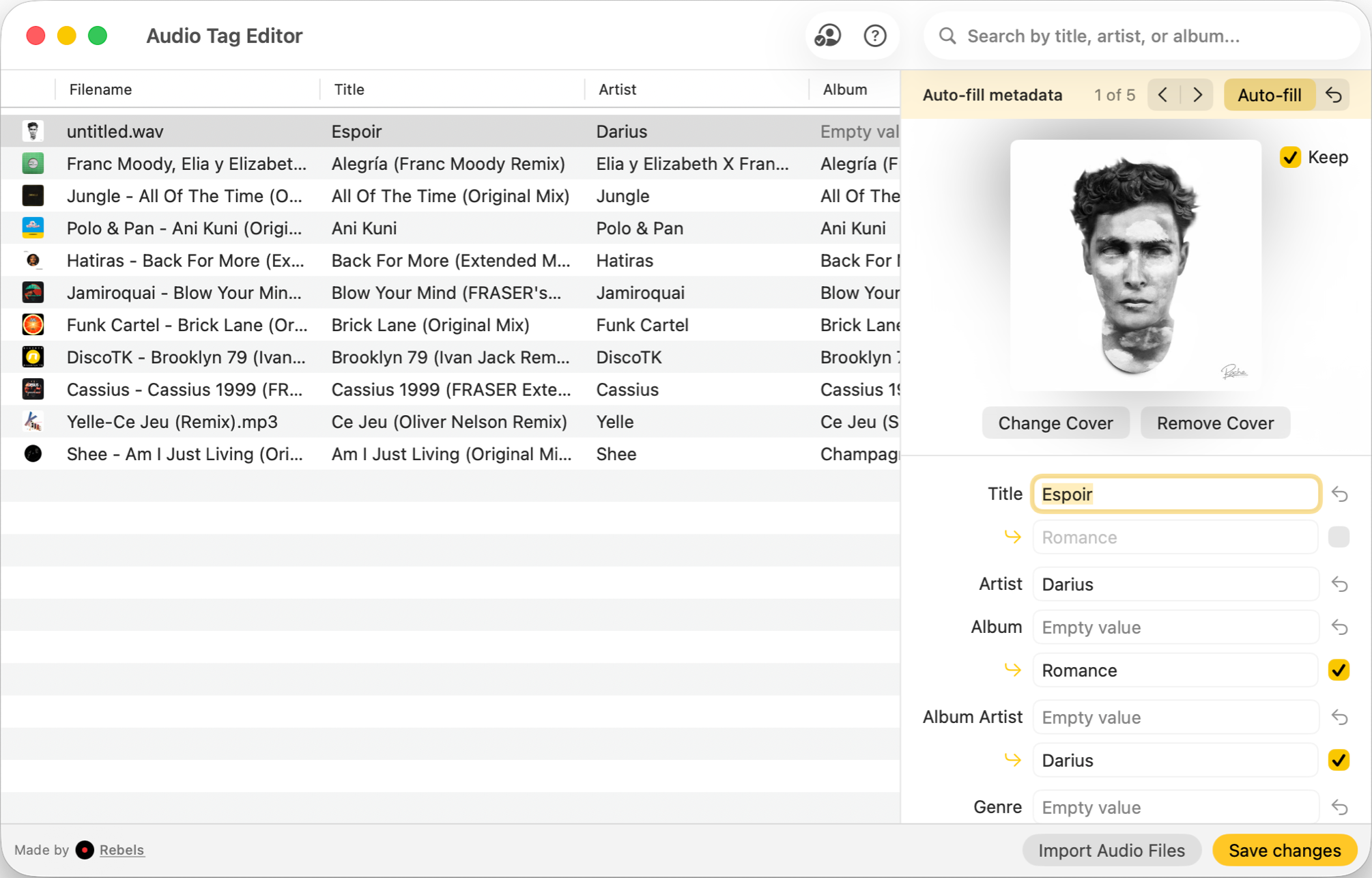
- Clean Mac-native interface with full batch editing support
- Handles BPM, key, genre, artwork, and all tag fields
- MusicBrainz, Discogs, and other integrations for automatic metadata lookup
- One purchase covers Mac, iPhone, and iPad
Cons
- No Windows version
Audio Tag Editor hits the right balance between power and usability. It handles every standard metadata field, including BPM, key, genre, comment, artwork, and custom tags, and batch editing across large folders is fast and reliable. Drop in a folder, select multiple tracks, edit what you need, and write. No unnecessary steps.
The interface is Mac-native and well-designed. You're not fighting an app that was clearly ported from Windows or built for a different decade. Fields are where you'd expect them, artwork previews cleanly, and the editing workflow doesn't require reading documentation. For DJs who spend time between sessions cleaning up metadata from downloads and rips, the time saved adds up quickly.
At $8.99 one-time, the same purchase includes iPhone and iPad. Being able to view and edit tags on an iPhone or iPad is a genuine convenience when you're reviewing music away from your desk.
DJs and producers who need a clean, fast, Mac-native tag editor for extensive library cleanup, including batch editing across large collections.
Kid3 (best free option)
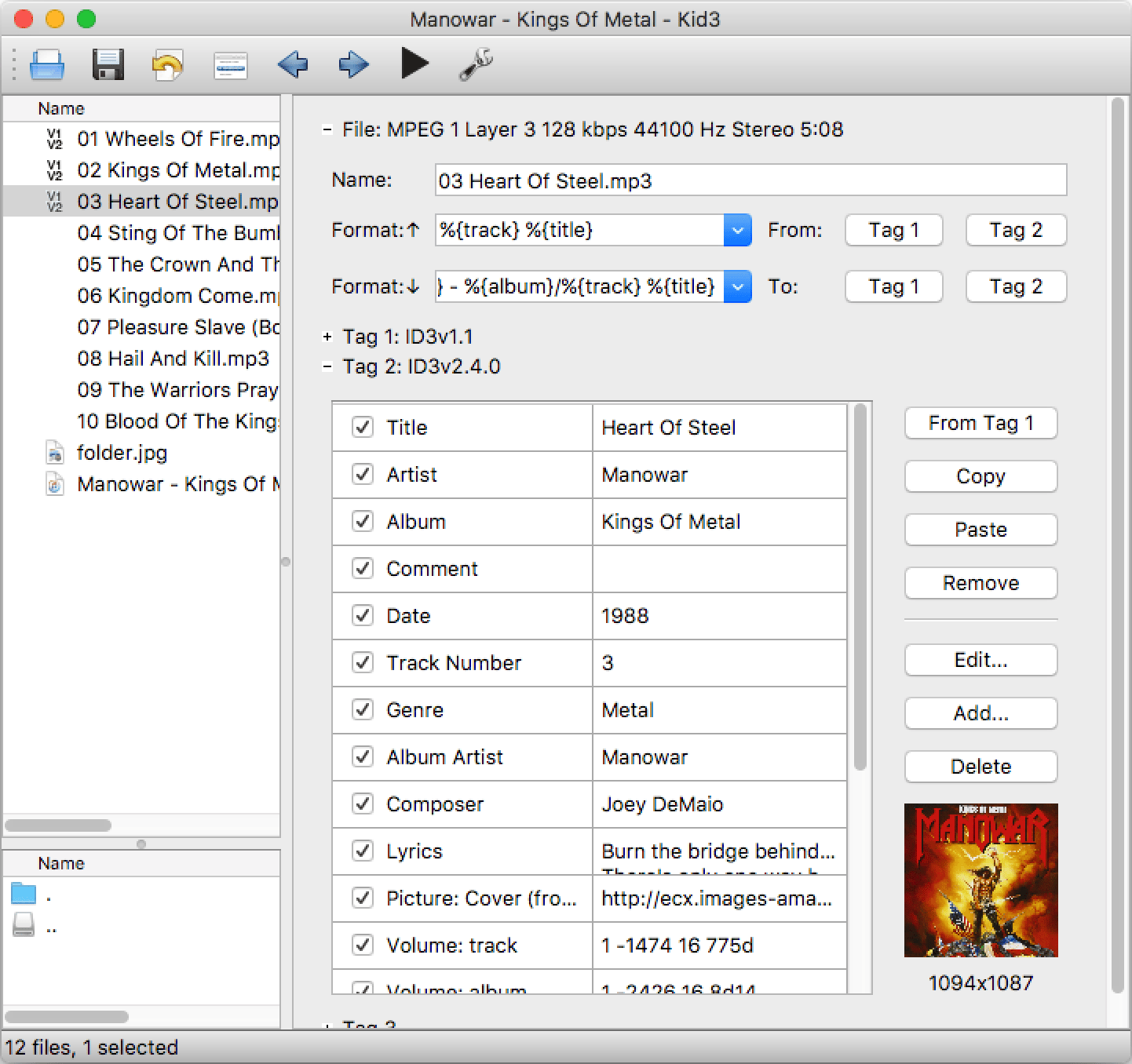
Kid3 is the most capable free tag editor available on Mac, and it's been actively developed for years. It supports every tag format you'd encounter, including ID3v2, Vorbis Comments, and APE tags, with batch editing, scripting, and integrations for MusicBrainz and Discogs automatic lookup. If you want to auto-populate an entire collection with correct metadata from online databases, Kid3 does this better than anything in this comparison.
The honest tradeoff is the interface. Kid3 looks like what it is: a powerful cross-platform open-source tool that prioritizes capability over polish. It works correctly, the features are all there, and once you understand the workflow it's fast. But the Mac-native experience that audio apps on macOS usually deliver isn't present here. It requires more patience to learn than a purpose-built Mac app.
For someone who wants powerful metadata management at no cost and doesn't mind investing time to learn the tool, Kid3 is hard to beat. For someone who wants to open an app and immediately understand where everything is, it's not the right fit.
Users who need powerful free tag editing including automatic metadata lookup, and are comfortable with a steeper learning curve.
Meta (best for music collectors)
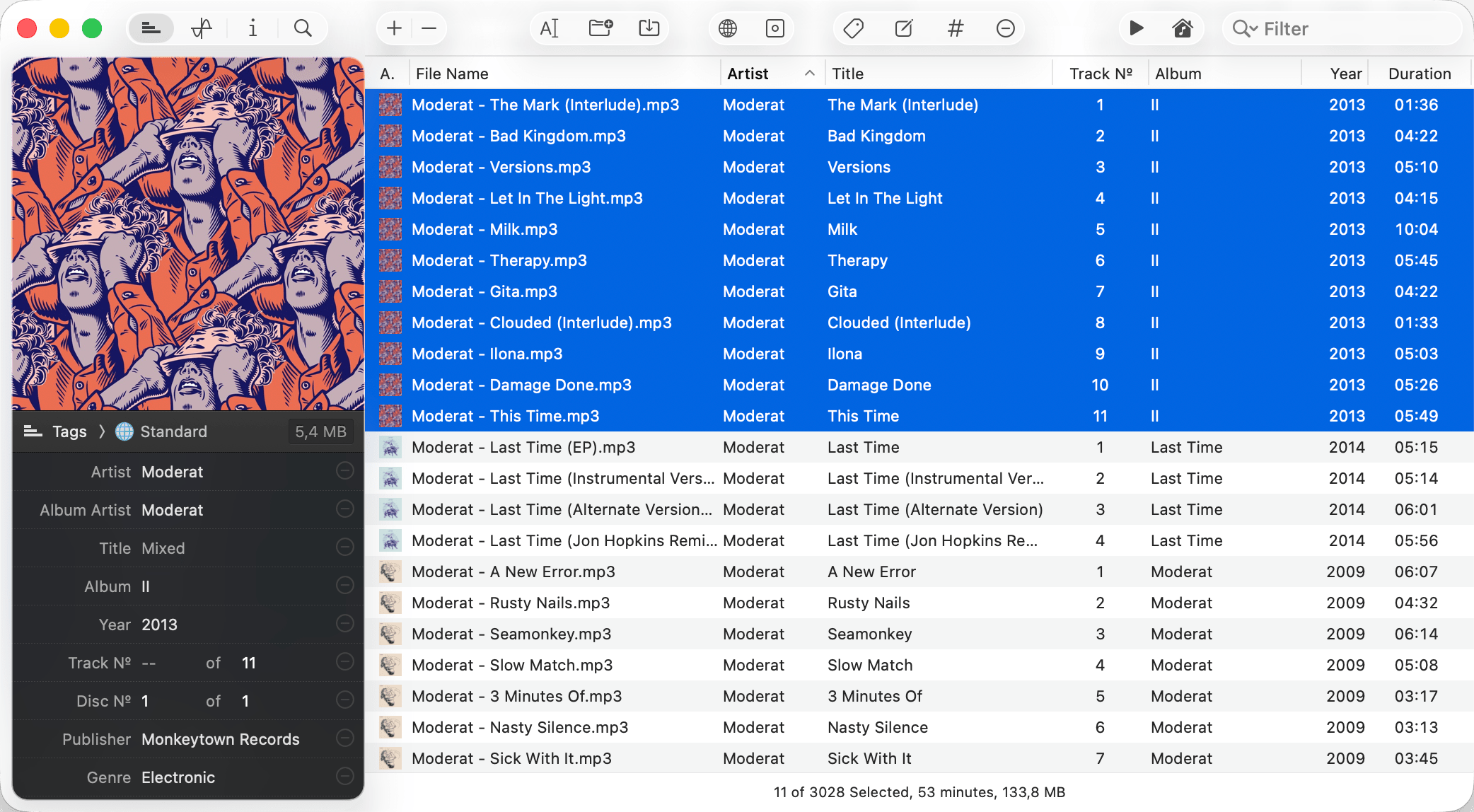
Meta by Nightbird Software has been one of the most consistently recommended tag editors on Mac for years, and with good reason. The interface is clean and well-considered, artwork management is handled better here than in most alternatives, and it supports the format range you'd need for a serious music collection.
Where it fits best is for users building a personal listening library with a strong emphasis on artwork and metadata presentation. The interface prioritizes browsing and visual quality in a way that makes it feel closer to a library management tool than a utility. For DJ-specific workflows where you're doing bulk BPM and key corrections, it's capable but not optimized for that use case.
At $24.99, it's the most expensive option in this comparison for a Mac-only purchase. Audio Tag Editor costs less and adds iPhone and iPad. The price makes more sense if the Mac-specific interface quality and artwork tooling are genuinely important to your workflow.
Music collectors and audiophiles who prioritize a polished Mac interface and strong artwork management over cross-device access.
Mp3tag (best cross-platform option)
Pros
- Long-established tool with deep Windows roots, now a paid Mac native app
- Powerful batch editing and tag format coverage
- Web sources for automatic metadata lookup from MusicBrainz and others
Cons
- Mac version is newer and still maturing compared to the Windows build
- Interface reflects its Windows origins on Mac
- No iOS version
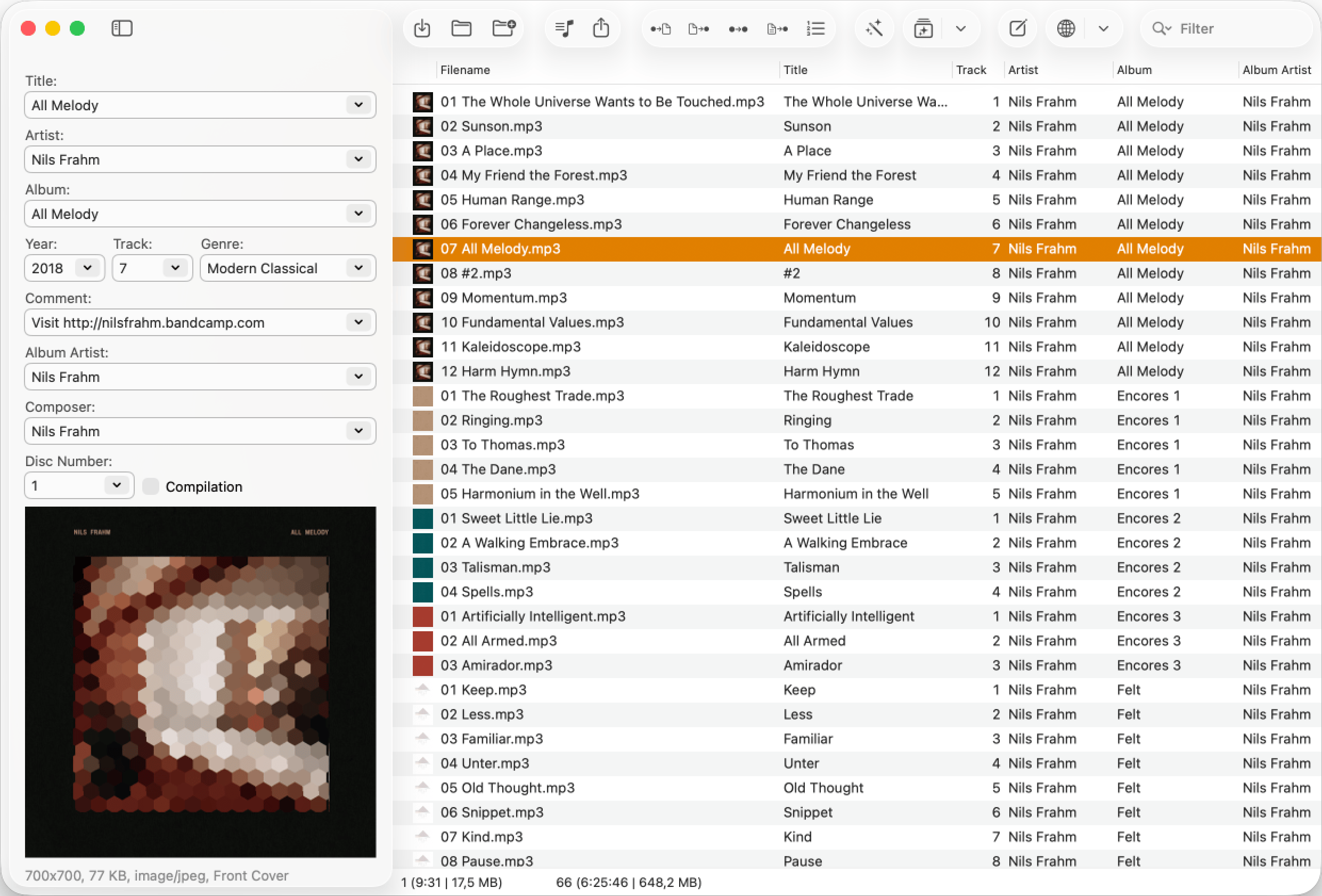
Mp3tag spent over two decades as a Windows-only tool before arriving on Mac via the App Store as a $24.99 paid app. It covers every tag format that matters, and its batch editing and web lookup features are well developed. For anyone who works across both Mac and Windows and wants a consistent tagging tool on both machines, it's a familiar choice.
The Mac verion's interface adapts reasonably well to macOS conventions but doesn't feel as native as an app built specifically for Mac from the start. It works correctly, and it's actively updated, but users coming from polished Mac-native apps will notice the difference in feel.
For a cross-platform workflow or for users who are comfortable with the interface, it covers everything you need.
DJs and producers who work across Mac and Windows and want a consistent tag editing tool on both platforms, or who are migrating workflows from Windows.
What about free options?
Kid3 is free and genuinely capable. If you want automatic metadata lookup from MusicBrainz or Discogs at no cost, Kid3 covers that need. Rebels also offers a free online audio tag viewer that lets you inspect the existing tags on any audio file in a browser without installing anything. It's useful for diagnosing what's in a file before committing to a full editing pass.
What I actually use
Audio Tag Editor for regular library maintenance. The workflow I run most often is: drag a folder of recent downloads in, select everything, batch-fill the genre field, correct any BPM values that came in wrong, and write. The whole session takes a few minutes. The Mac-native interface means there's no friction in finding what I need.
For collections that need Windows support, Kid3 or Mp3tag are the better tools for that specific job.