VST Manager -  - Organize audio plugins. (screenshot)

VST Manager

Organize audio plugins.

Download on the App Store
All Plugins in one place
AAX, Audio Unit, VST, and VST3, sorted.
Smart Organization
Find duplicates and manage storage.
Industry Standard
Explore your entire audio plugin collection.

Truly Offline.

Local by design means privacy first.
No cloud analysis, no AI learning, just your work staying yours.

All Plugins in One Place

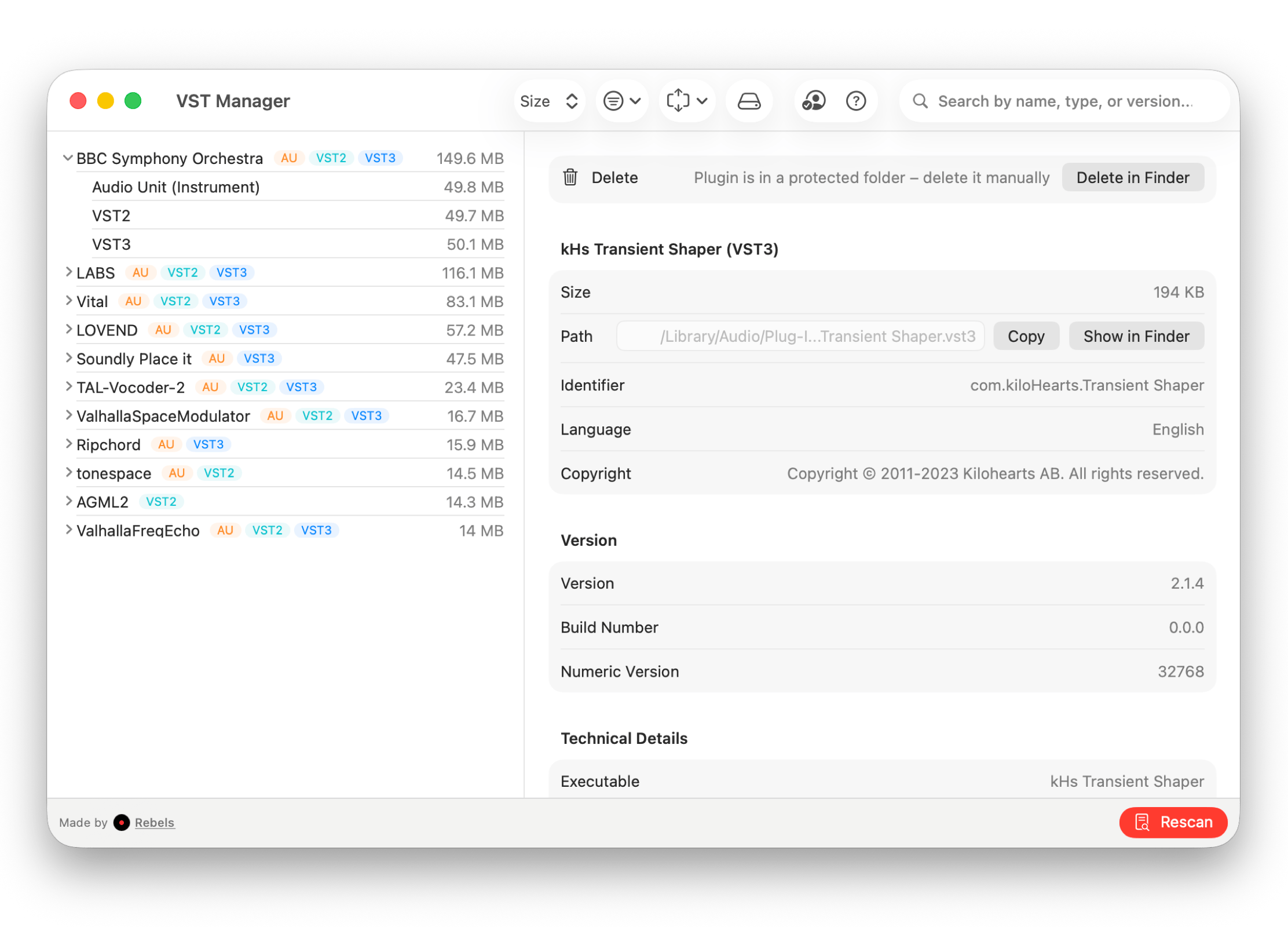
Scan your entire computer for AAX, Audio Unit, VST, and VST3 plugins in a flash. Add custom folders to cover additional locations and identify every plugin with detailed information.
VST Manager displaying all audio plugins found on the computer
Smart Organization

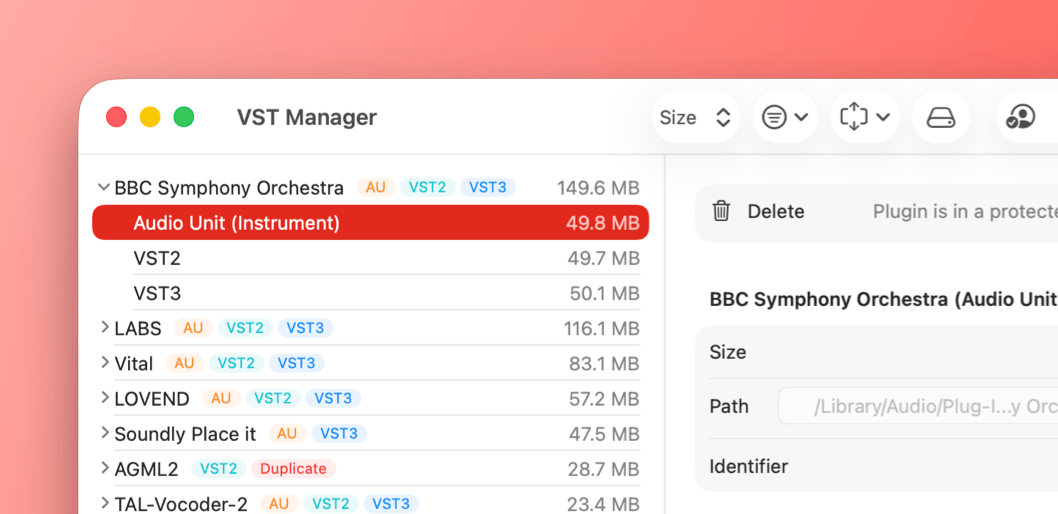
Spot duplicate plugins and get a storage breakdown to see which ones take up the most space. Clean up what you no longer need and keep your plugin collection lean and organized.
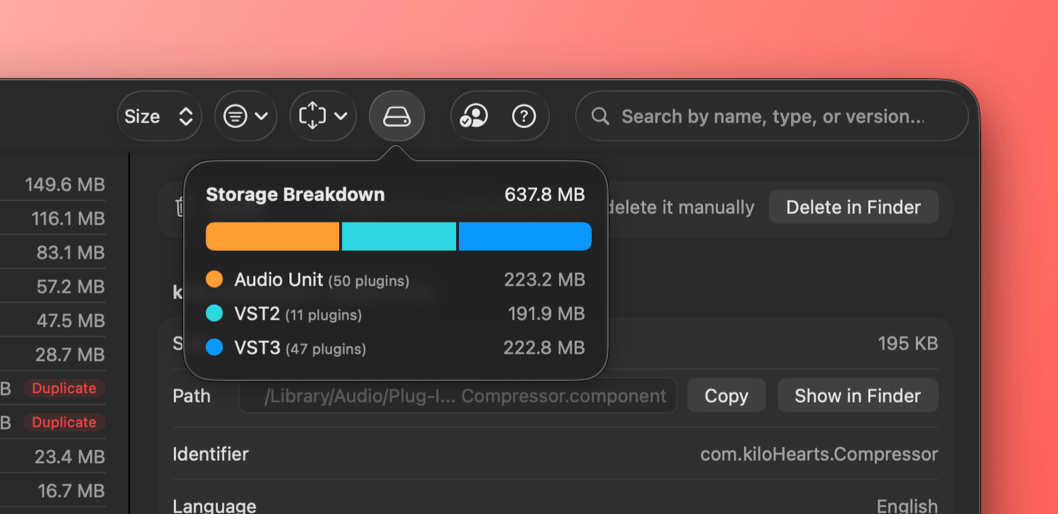
VST Manager highlighting duplicate plugins and storage usage
License Key Vault

Store all your plugin license keys in one secure place so they are always within reach. Never scramble through old emails or documents again when you need to activate or reinstall a plugin.
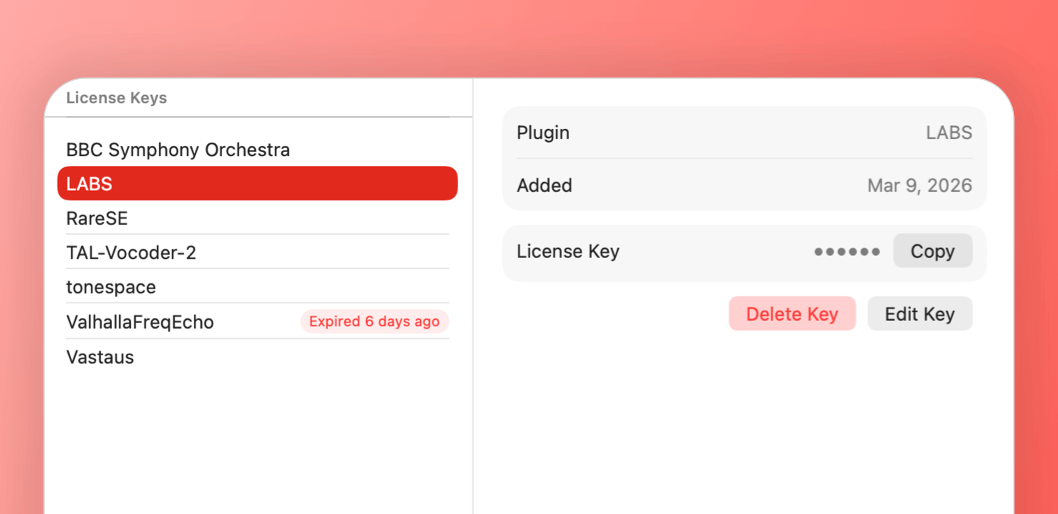
VST Manager showing a secure vault for plugin license keys
System Profile Sharing

Export and share a full snapshot of your plugin setup before studio sessions or collaborations. Compare profiles side by side to spot differences and make sure every system is ready to go.
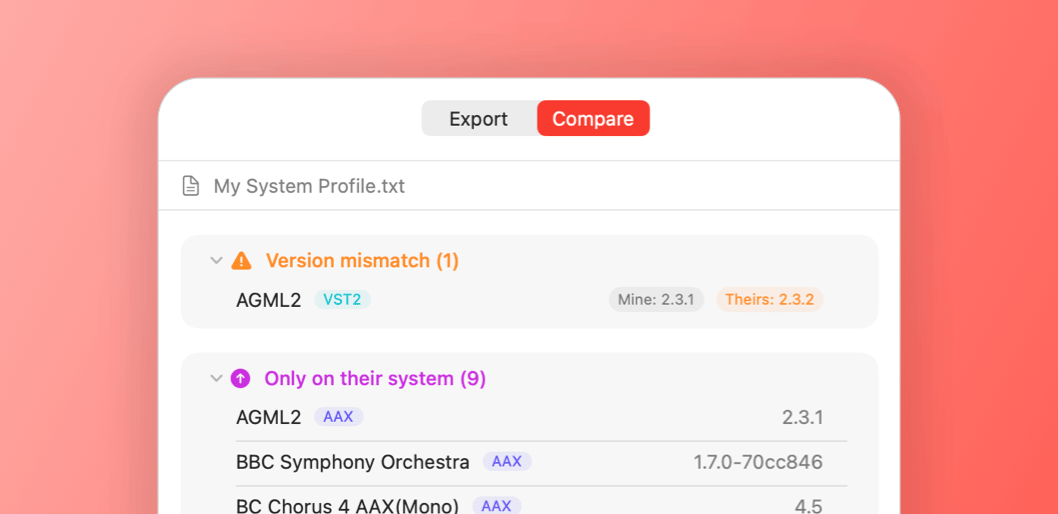
VST Manager displaying system profiles ready to share and compare
2026 Update

How we stack up

See how VST Manager compares to the most popular alternatives.

VST ManagerOwlPlugPlugin StationAuganizer
Pricing
One-Time Purchase

Buy once, own forever. No subscription required

$8.99Free$165+$34.99
Plugin Format Support
AAX
Audio Units (AU)
VST / VST3
Core Features
Full Plugin Scan

Scans your entire Mac for installed plugins automatically

AU only
Custom Folder Scanning

Add custom locations beyond the default plugin directories

Duplicate Detection

Finds plugins installed in multiple formats or locations

Storage Breakdown

Shows how much disk space your plugins use by type

License Key Vault

Stores and syncs plugin license keys via iCloud Keychain

System Profile Sharing

Share or compare your plugin setup with others

Rated 4.6 out of 5 on the App Store

Frequently Asked Questions

Everything you need to know.

Which plugin formats does VST Manager support?

VST Manager scans for all major formats: AAX, Audio Units (AU), VST, and VST3. It covers plugins from any developer, not just a single brand.

How does the plugin scan work?

VST Manager scans the standard plugin directories on your Mac automatically. You can also add custom folders to cover any non-standard install locations.

What is the duplicate detection feature?

Some plugins get installed in multiple formats or locations over time. VST Manager flags these duplicates so you can decide which copies to keep and which to remove.

What is the license key vault?

The license key vault lets you store your plugin serial numbers securely inside the app. They sync across your Macs via iCloud Keychain, so you always have them when you need to reactivate.

Does it require an internet connection?

No. All scanning and organization happens fully offline on your Mac. iCloud Keychain sync for the license vault requires internet, but the rest of the app works without it.

Is this a subscription?

No. It's a one-time $8.99 purchase with no recurring fees and no locked features.

Start organizing,
the easy way.

Available on Mac.

Download on the App Store
Globally featured among top music apps